

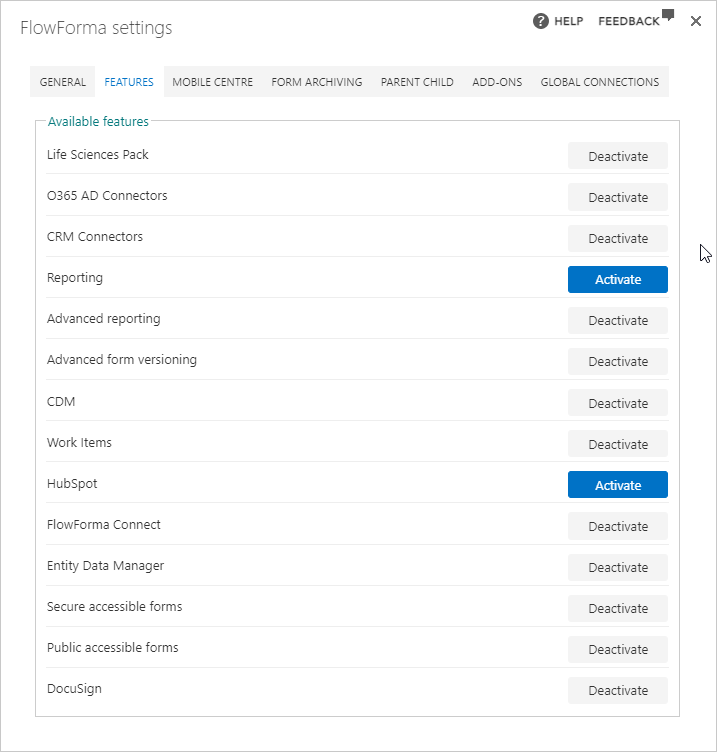
- Activate: This button will activate the feature, adding the needed elements for that feature.
- Deactivate: This button will deactivate the feature, removing any elements previously added for it.
Existing features
- Life sciences pack: enables the Audit and Flow documentation snapshot features
- Advanced Reporting: enables the FlowForma Reporting - Exporting form data to SQL database, where FlowForma data will be stored for reporting
- Analytics: enables the FlowForma Analytics feature
- Advanced form versioning: enables the Advanced form versioning feature
- Work items: enables the Reassign work item and Alert business rules
- FlowForma Connect: enables the FlowForma Connect feature
- Engage: enables the use of FlowForma Engage, which can be activated using either
- Secure accessible forms: Forms that allow defined non O365 users access to the process with credentials supplied and then verified when accessing the process
- Public accessible forms: Forms that allow anonymous users to be assigned to steps in a FlowForma process
- Moneris checkout: enables the use of the Moneris question type
- AI Assistants: enables FlowForma’s AI features, the Copilot, AI Agent, and Summarisation rules