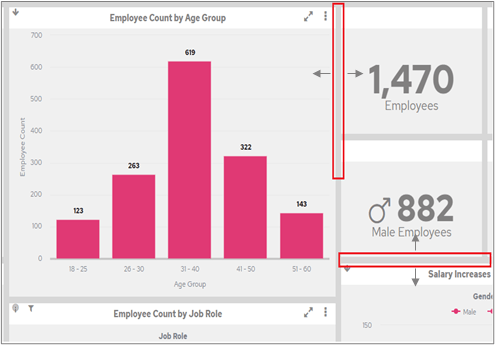
Drag the dividing bars between FlowForma Analytics chart cells to resize them; sizes are stored as screen proportions so layouts adapt across devices.
Between the chart cells there is a grey dividing line. If you hover over it with a mouse, or touch it on mobile or tablet, the line changes to become a wider grey bar.You can then drag this bar. If the divider runs from top to bottom, drag it from side to side. If the divider runs from left to right, drag it up and down.You can drag and resize the chart cells to optimise the space used for the charts.The size of a cell is held as a screen proportion, so if you open the dashboard on a different device, it resizes using those proportions, redrawing to fit the available screen size.
This is now your own individual layout. Other users’ screens may not look the same as yours. To save this layout as the default, see the section below.