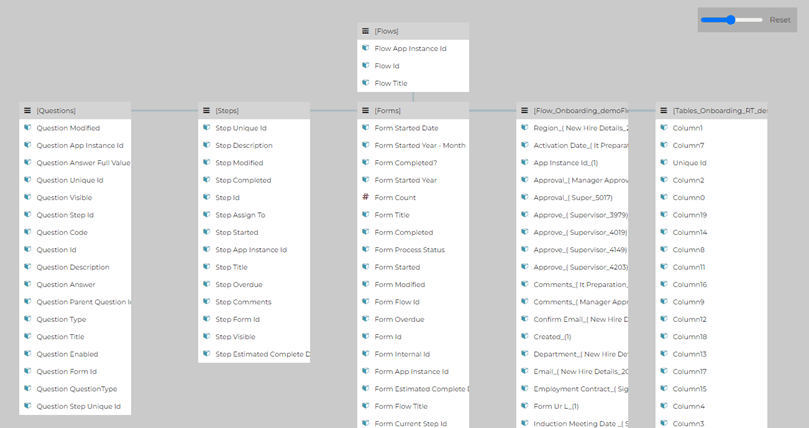
- Process flow data (parent)
- Repeating table data (child)
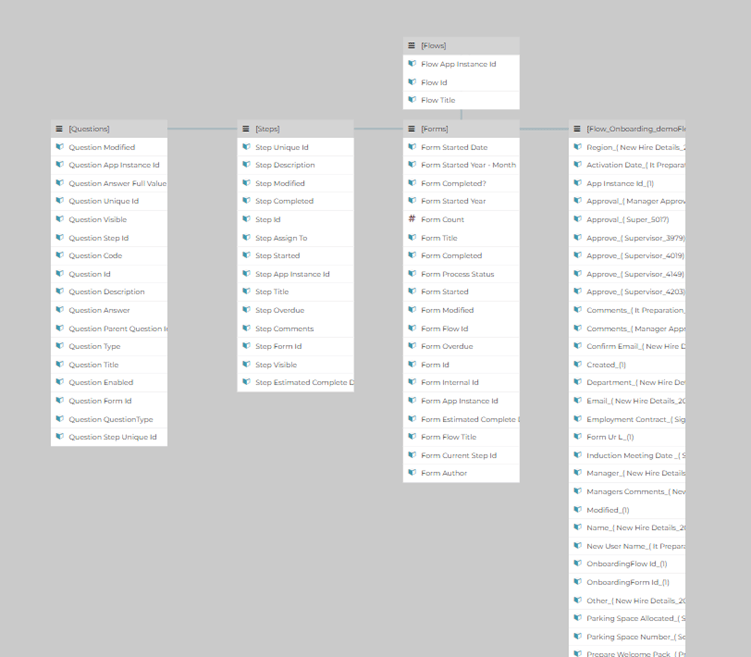
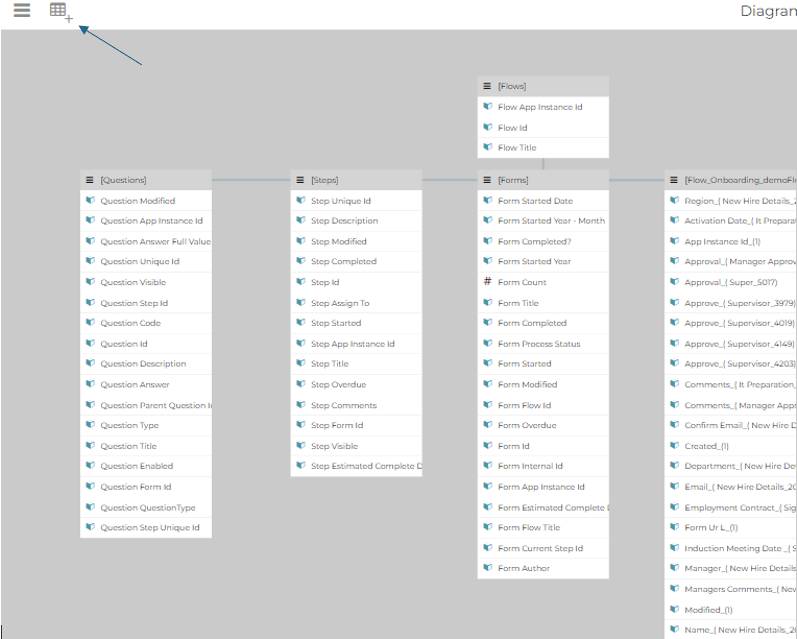
- Select the Add Table button
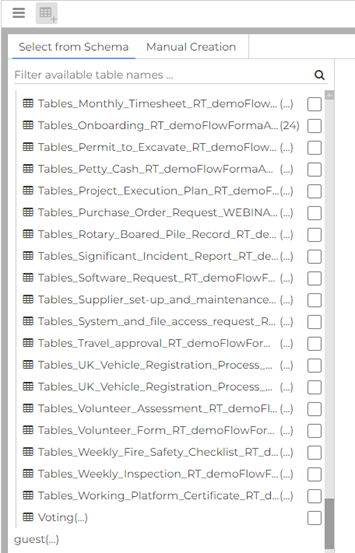
- Select your database and the table you want to extract data from. You are looking for a table named “Tables_‘ProcessName’”.
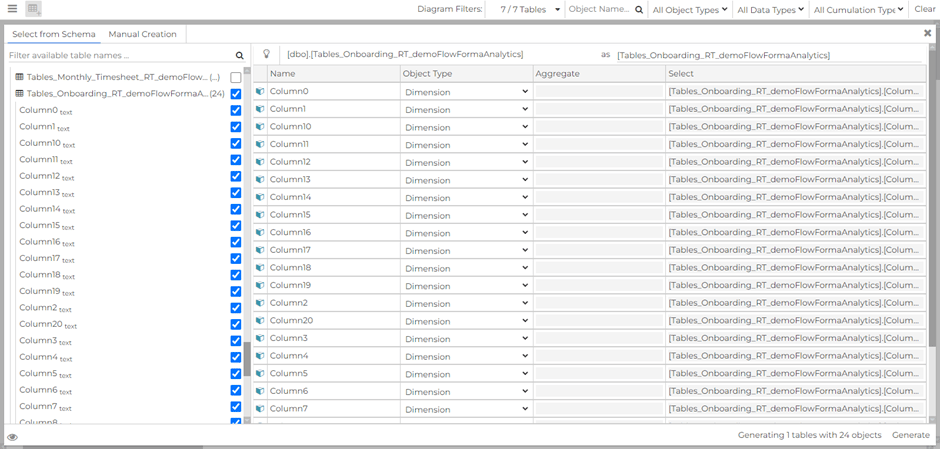
- A new table will now appear within your data connection.
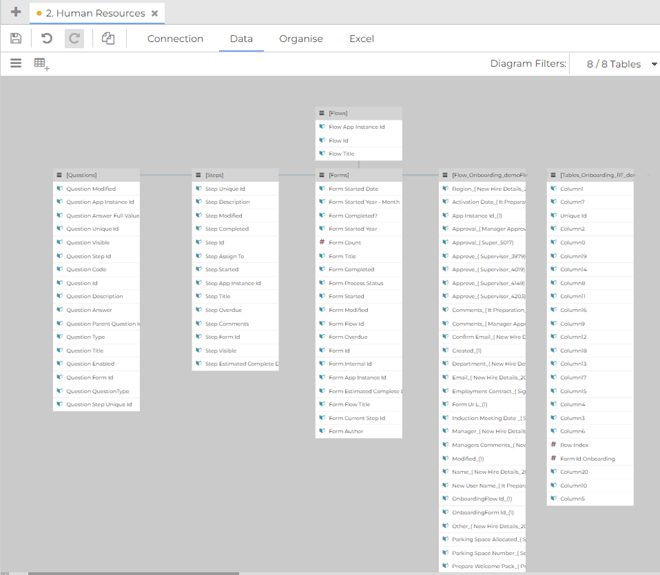
- Select the newly generated table.
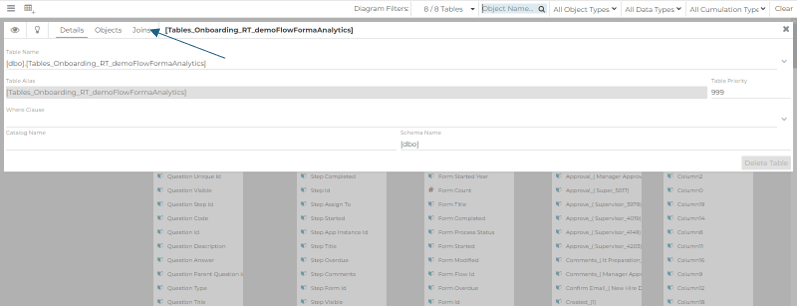
- Select “joins” and the ”+” symbol seen on the right-hand side.
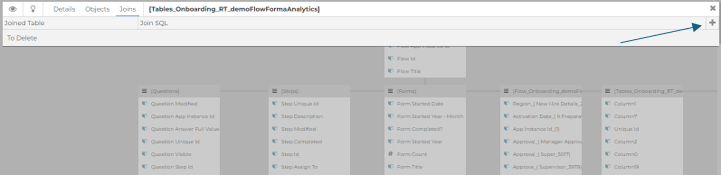
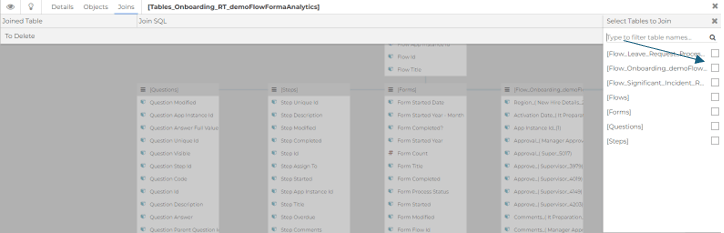
- Select the flow you wish to connect the newly created table to. We are looking to connect to “[Flow_Onboarding_demoflowforma]”.
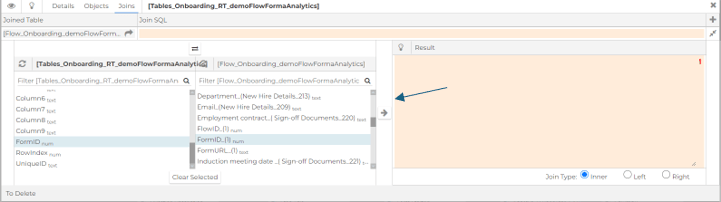
- Select the common data between the two tables to create a connection. Our common data is “formID”: click the arrow button shown in the screenshot below.
- A new SQL expression will appear in the box on the right side of the screen.
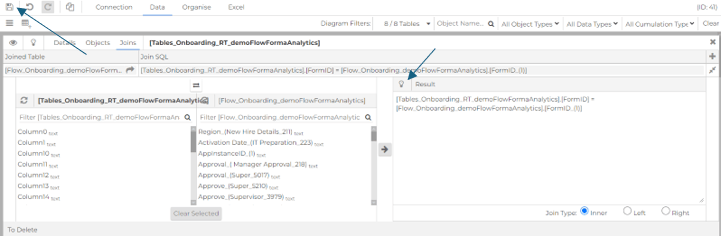
- You should now have a data connection model with the onboarding process and the onboarding repeating table joined and ready to create dashboards.