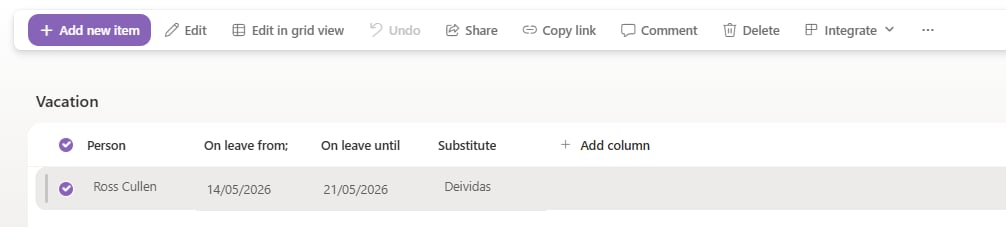
Set up the I am on leave function to delegate FlowForma form steps to a substitute for a defined date range using the Vacation list on your site.
The I am on leave function allows FlowForma Administrators to delegate your tasks to another user when you’re on leave.If you use this function, all steps assigned to you will be delegated to your substitute during the period you’ve specified. Any steps assigned to your substitute must be completed by them; they won’t automatically be reassigned to you after you return from leave.Any steps currently assigned to you will remain assigned to you, but you can use the Bulk assign forms feature to reassign them all if needed.
Enter the name of the person you want to delegate their forms to.
Select the relevant dates for On leave from and On leave until.
Click Save. The information is saved and their forms will be delegated between the dates you’ve specified.
Steps assigned to a user before setting up the I am on leave delegation remain assigned to them, and must be completed by them, or delegated to them separately.
By default, opening the Vacation list displays the My Vacations view, filtered to show only entries where you’re the person on leave.
You can switch to the All Items view to see all entries in the list.
Check the box beside an entry and use the toolbar to edit the substitute or the leave dates. You can also delete older records if needed.