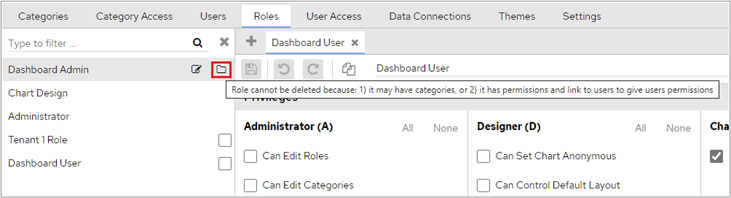
Delete a FlowForma Analytics role with the To Delete button, noting that roles with assigned categories, permissions, or users must first be unassigned.
To delete a role, click the To Delete button at the bottom left-hand corner of the screen.You can then select the role that you want to delete.
You can only select roles that can be deleted.
In the following screenshot, the Dashboard Admin role cannot be selected. Hovering over the highlighted icon shows that the role can’t be deleted because it either has categories assigned, or it has permissions and users linked to it. All category permissions and users assigned to this role must be unassigned in the user access section before the role can be deleted.After selecting the role(s) that you want to delete, click the Delete Selected button.