

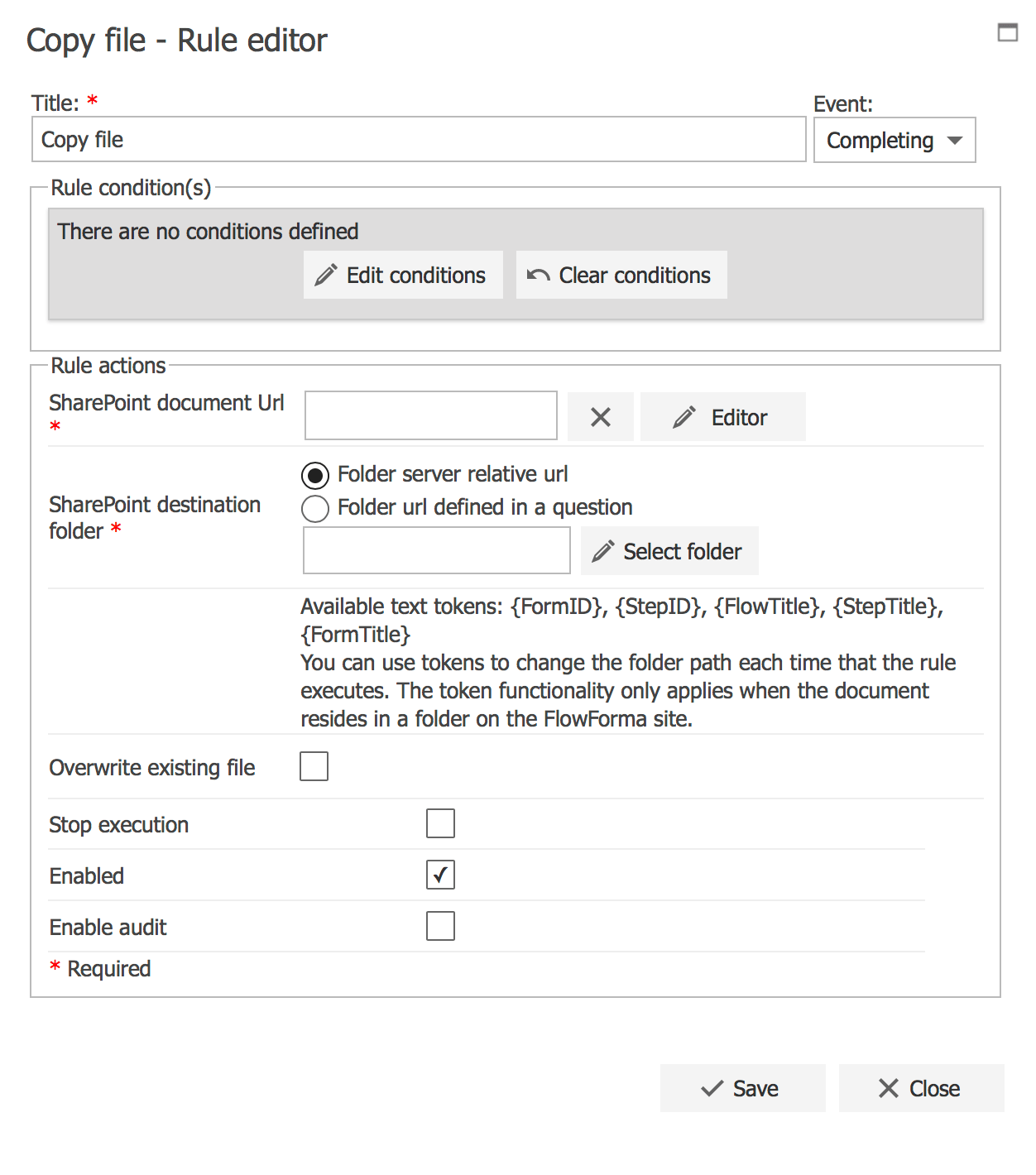
Title
The first part of the business rule lets you define a title for your rule and select the event on which it operates. The default title is the standard FlowForma rule name; change it by deleting the text and entering your own. In the event field you determine when the rule is executed. For a flow this can occur when the form is loaded, started, or completed. For a step this can occur when the step is started, saved, or completed. For questions it can occur when the question is updated.Rule condition(s)
The second part of the business rule lets you set conditions. These are not required, but if entered they control when the rule is executed in relation to other items in the form.Rule actions
SharePoint document Url: used to select the link to the document that you want to copy. You can do this in two ways. Click the Editor button next to the SharePoint document Url text box to display the screen below, showing all the file upload questions and document generation rules contained in the flow. Select one of these items and the document uploaded or generated will be copied to the SharePoint destination folder defined below.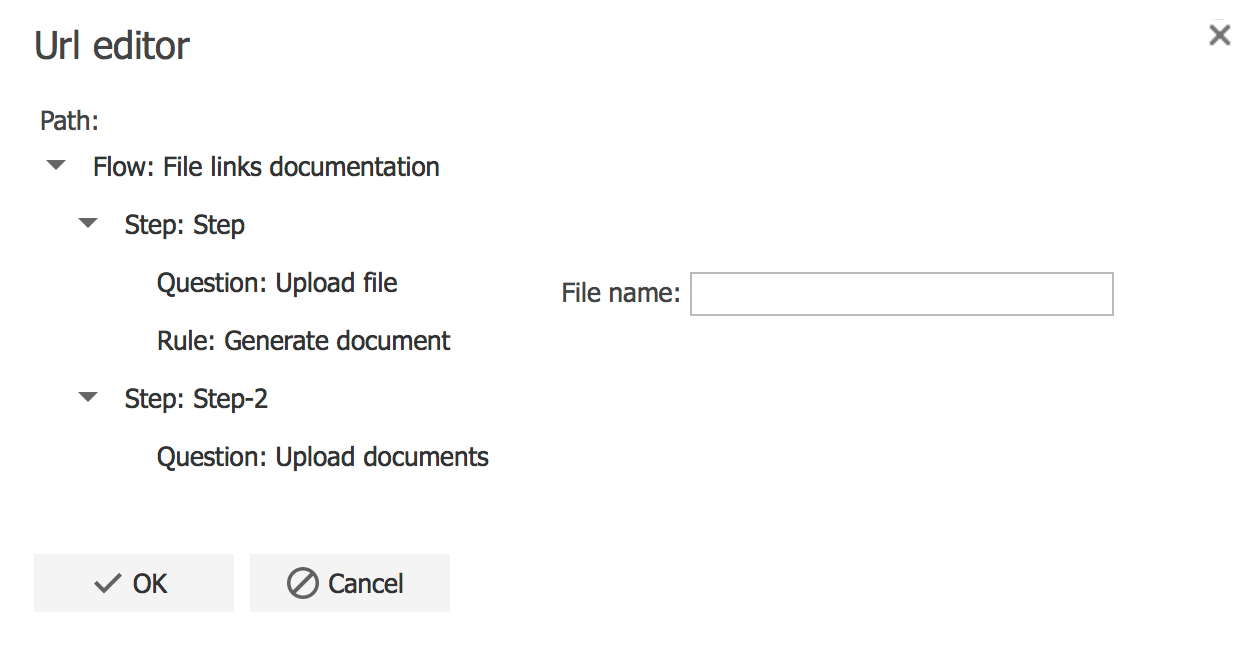
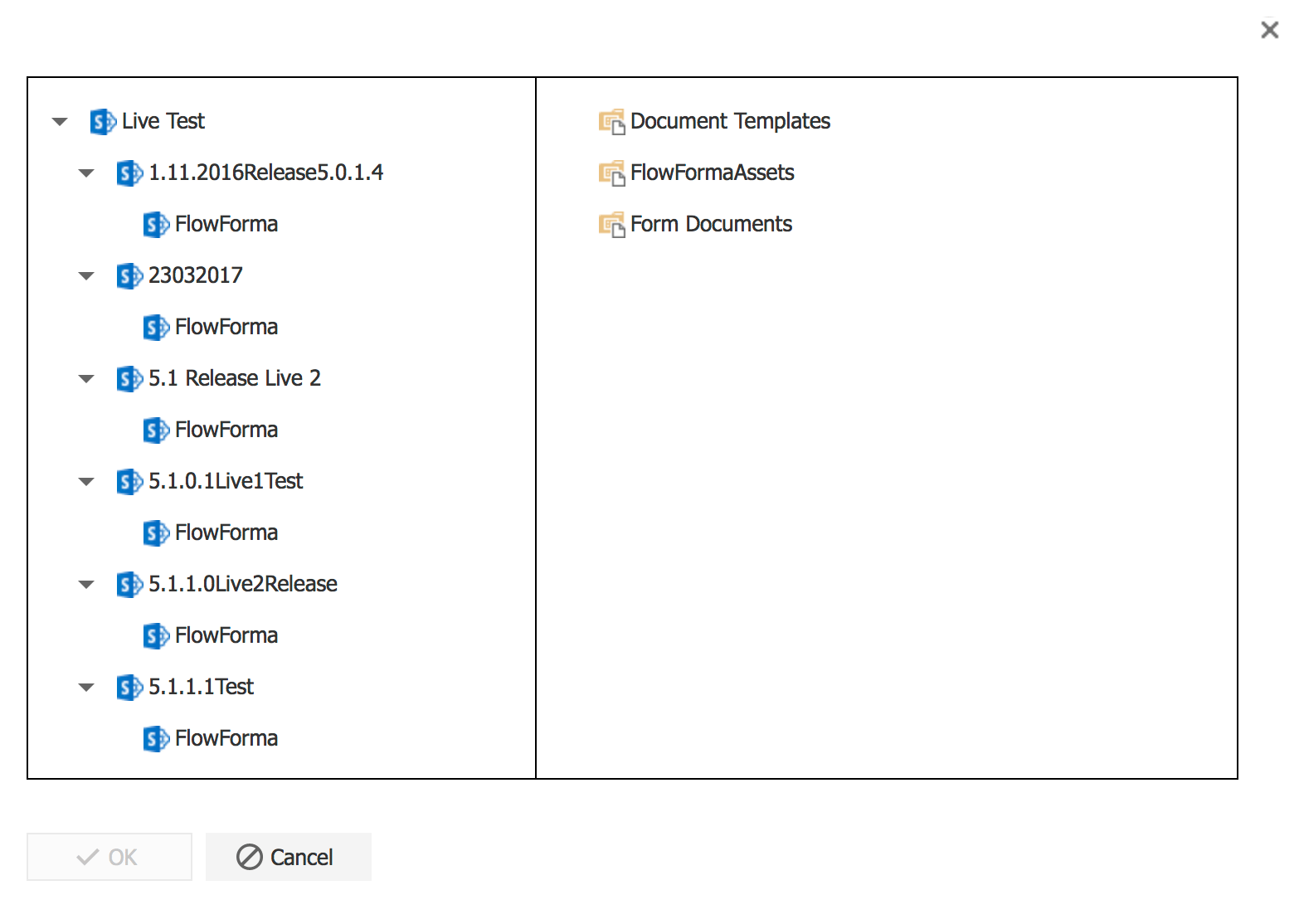
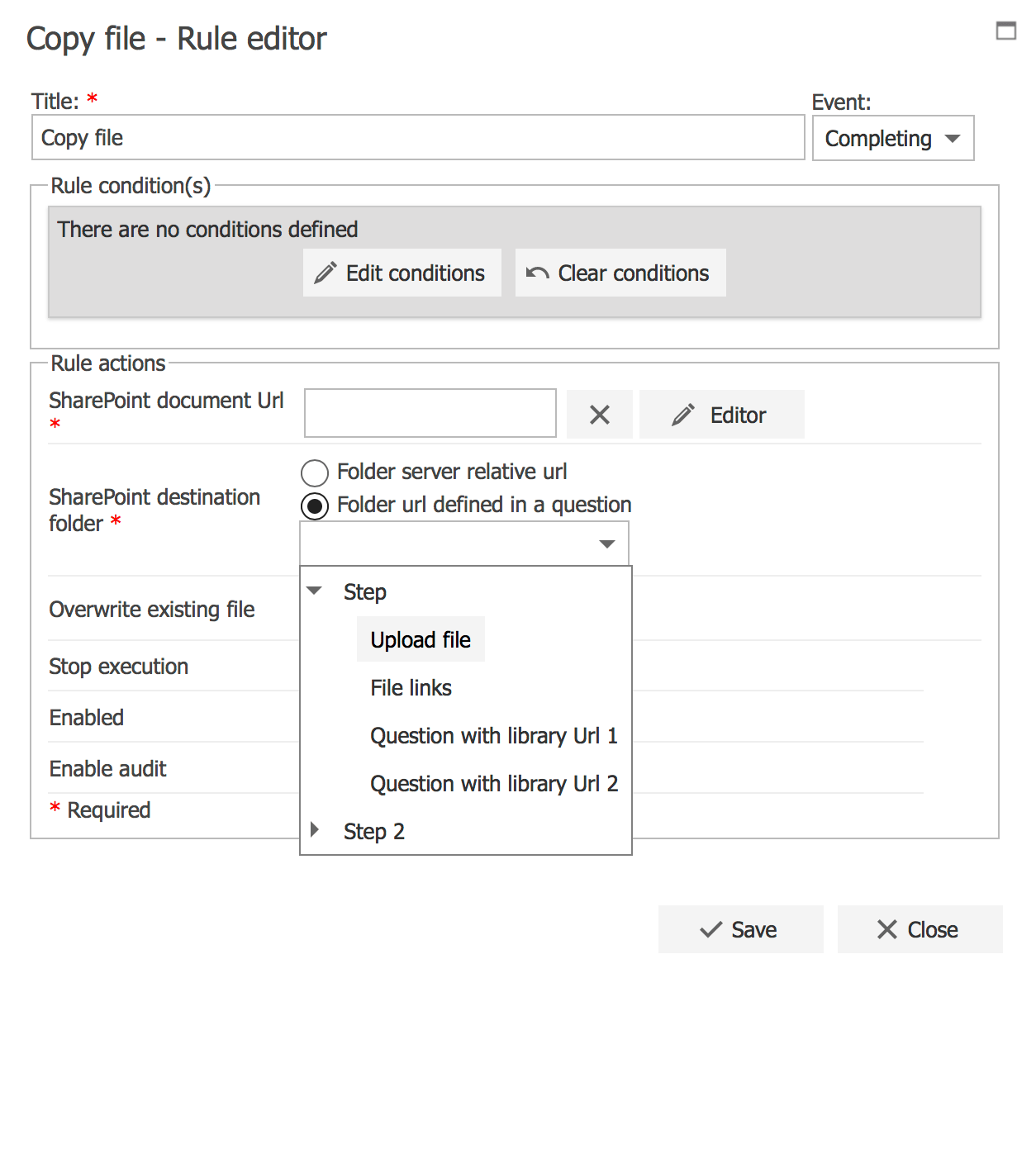
{FormID}, {StepID}, {FlowTitle}, {StepTitle}, {FormTitle}, {FlowFormaUrl}, {FlowFormaParentUrl}, and {FlowFormaSiteCollectionRoot}. Tokens only work when the document is stored in a folder on the FlowForma site.
Copy and delete source file: by default the rule copies the file (the Copy file option). Select Copy and delete source file to move the file instead, deleting it from the source location after it has been copied.
Overwrite existing file: by default, if a file with the same name and extension already exists, a new file is created (with bracketed numbers added to the end of the file name). To overwrite the original file so only the latest version is retained, check the Overwrite existing file checkbox.
- Stop execution: if stop execution is enabled and this rule is executed, no other rules are executed.
- Enabled: rules aren’t saved to a list like questions and steps are, so if you want to stop a rule executing without deleting it, toggle this option to enable or disable the rule.
- Enable audit: if checked, a record is added to the audit trail when this rule is executed. This option is available when the Compliance feature pack is activated.
The Copy file rule is available on
- Flow started and Flow completed
- Step started, Step saved and Step completed.