- Open the Flow Designer for the flow you want to generate documents for
-
Add a Generate document rule, and set Build template using to Word Add-in (modern)
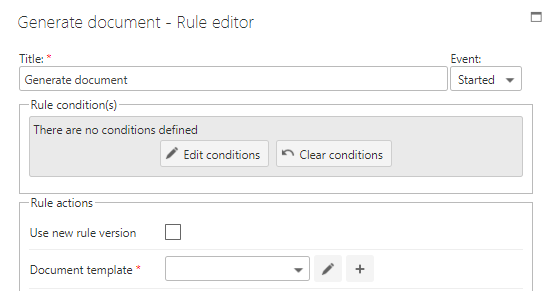
-
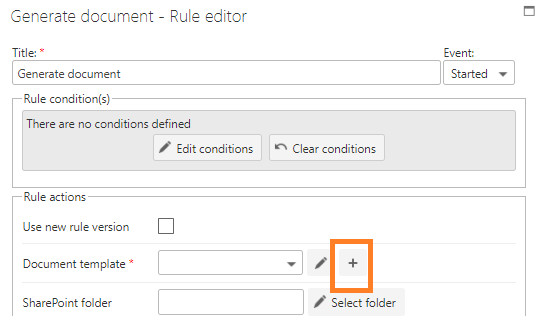
Click the plus icon to add a new template
-
Provide a unique name for the template and click the tick icon to save it

- Once the template is created, click the pencil icon to open it in the Word desktop client
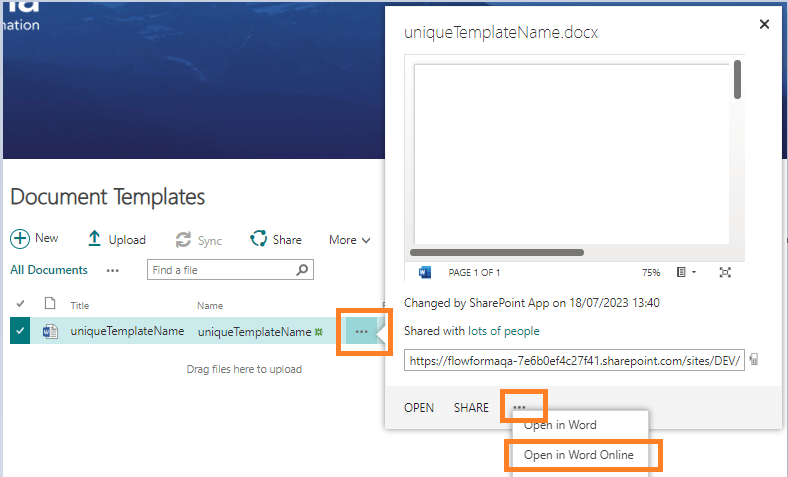
Open the template in Word Online
- Navigate to the document templates folder
- Click the 3 dots by the document name
- Click the 3 dots on the dialog
- Select Open in Word Online