Use the Add/Edit calendar event business rule to send, modify, and remove Outlook meeting requests, including online Teams meetings, from a FlowForma flow.
The Add/Edit calendar event rule lets you send meeting requests to users’ Outlook calendars; you can also modify and remove them.
The first part of the business rule lets you define a title for your rule and select the event on which it operates. The default title is the standard FlowForma rule name; change it by deleting the text and entering your own.In the event field you determine when the rule is executed. For a flow this can occur when the form is loaded, started, or completed. For a step this can occur when the step is started, saved, or completed. For questions it can occur when the question is updated.
The second part of the business rule lets you set conditions. These are not required, but if entered they control when the rule is executed in relation to other items in the form.
Rule type: set whether the rule action should add a new event or modify/remove an existing one.
Save/retrieve event id: set where the “event id” is stored. Adding a new event returns the event id; modifying or removing an event uses this event id to identify which calendar event to act on.
Organizer: set who the event (meeting request) should appear to be from.
Is online meeting: set whether this is an online meeting. If checked, the event includes a link to join a Teams call.
Subject: set the subject/title of the event as it appears in the user’s calendar.
Body: select or create an email template to send as part of the meeting request.
Attendees: set who should be attendees for the meeting; you can enter multiple user values.
Attendees defined in a question: select a question from the form that contains the attendees.
Location: set where the meeting will take place.
Setting a location only sets the location in the email; it cannot be used to book a meeting room.
Time zone: set the time zone the meeting takes place in; recipients outside that time zone see a time relative to their own.
Start time: set the date and time question that contains the meeting start time.
End time: set the date and time question that contains the meeting end time.
Stop execution: if stop execution is enabled and this rule is executed, no other rules are executed.
Enabled: rules aren’t saved to a list like questions and steps are, so if you want to stop a rule executing without deleting it, toggle this option to enable or disable the rule.
Enable audit: if checked, a record is added to the audit trail when this rule is executed. This option is available when the Compliance feature pack is activated.
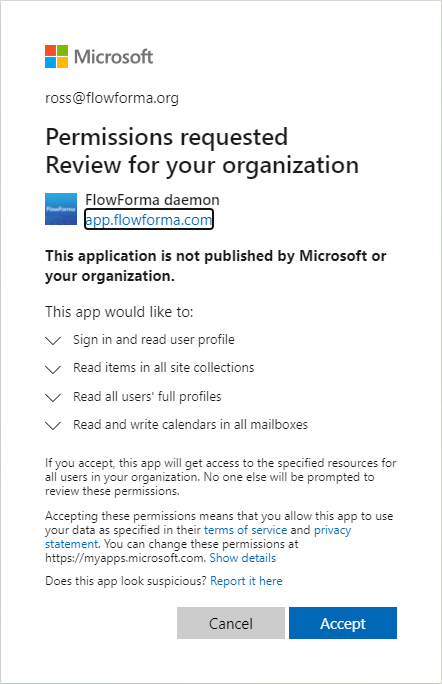
To use this rule, FlowForma needs additional permissions to add and modify items in users’ calendars. This is achieved by adding a daemon to your tenant. To approve the daemon, an O365 admin must follow the “click here” link and approve the request.