

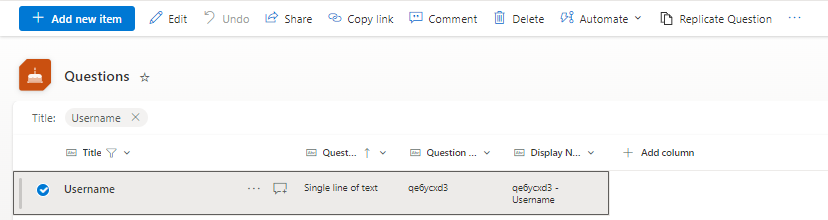
- Select Questions from the quick launch menu on the left
- Select the relevant question (only one at a time) by placing a check to the left of the question
- Click Replicate Question in the ribbon
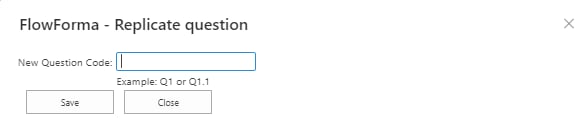
- Enter the question code in the New Question Code field. The question code must be unique for the site where you’re creating the question. If the code you’ve entered isn’t unique, nothing happens when you click Save. If the code is unique, clicking Save saves the question and opens the question editor panel.
- Click Save to finish.
Note: If the question you replicate is a repeating table question type, by default only the parent question code is changed. If you want to change the sub-question codes, you need to edit each sub-question separately.