

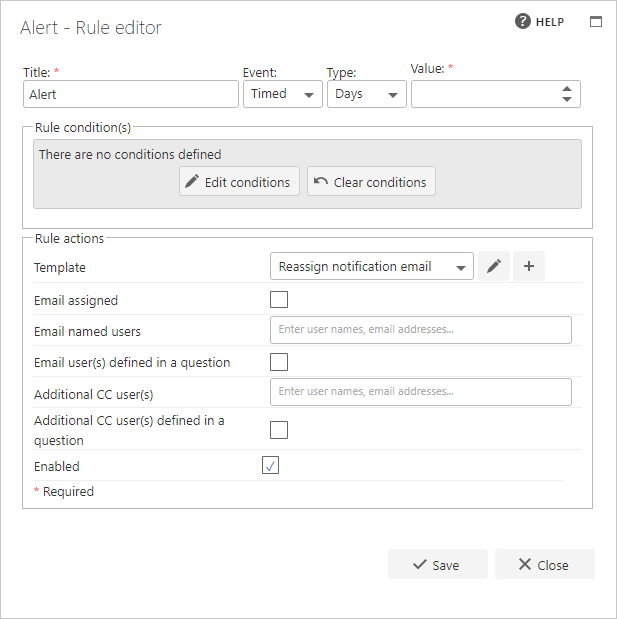
Title
The first part of the business rule allows you to define a title for your rule, and then select the event on which the rule should operate. The default title of the rule is the standard FlowForma rule name. You can change this by deleting the text and entering your own. The alert rule’s event execution works differently from most rules, as it is set on a schedule rather than a one-off event. The event options include a type and a value field. Type lets you choose whether the alert is sent on a days or hours basis, and value sets the recurrence interval. For example, “days” with a value of 1 sends the notification every day, and “hours” with a value of 1 sends the notification every hour.Rule actions
- Template: the email template to send to the owner of the step when the specified period of time has passed. The reassign notification email template is selected by default, but you can create and select your own email template.
- Email assigned: check this option to email the person or group assigned to a specific step. A drop-down list appears showing all the steps in the flow.
- Email named users: if you want to email other users or groups, enter the user or group names here.
- Email user(s) defined in a question: add a user or group that has been entered in a question in the flow. Select the question from the drop-down list.
- Additional CC user(s): to add additional users to the CC list, enter the user or group names here.
- Additional CC user(s) defined in a question: to CC additional users entered into a question, select the question from the drop-down list to include them in this email.
- Enabled: if the rule is not enabled, it will not execute.