

The Audit feature keeps a history of all relevant events within a form, serving both the users involved in the process and independent compliance auditors.

Enabling the audit feature

Event recording can be enabled at different levels, depending on what you need to be audited, including: FlowForma Settings, Flow Level Settings, and Business Rules.

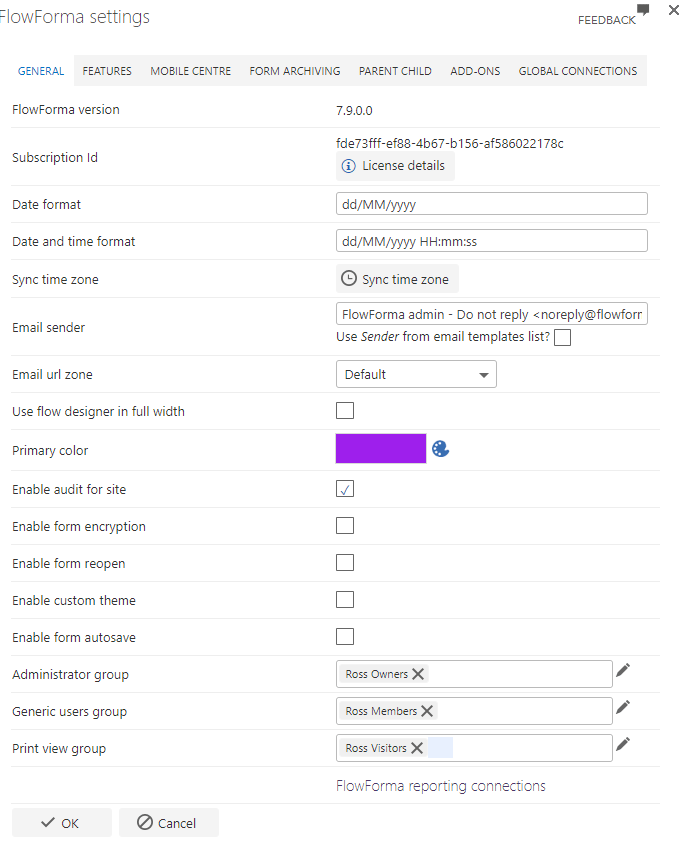
FlowForma settings

If enabled using FlowForma settings, all newly created forms for all flows will be audited. FlowForma settings audit option
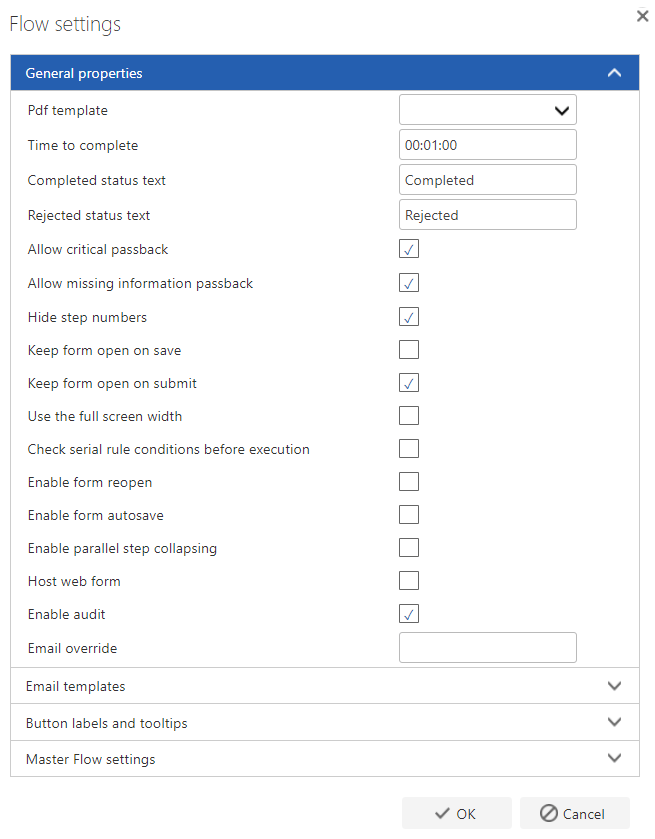
Flow level settings

If enabled using Flow Settings in the Flow Designer, all events for each form based on that flow will be audited. This also only applies to new forms. Flow level settings audit option
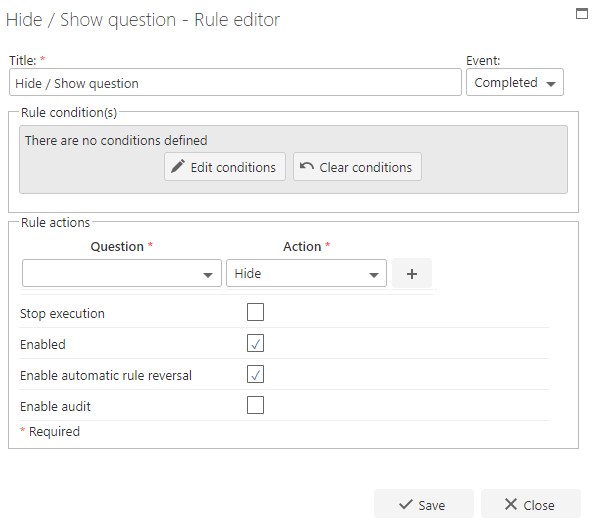
Business rules

Auditing can be enabled on selected business rules; an option appears within the business rule editor. Only events including the execution of business rules with auditing enabled will be logged. Business rule editor audit option
Viewing the audit log

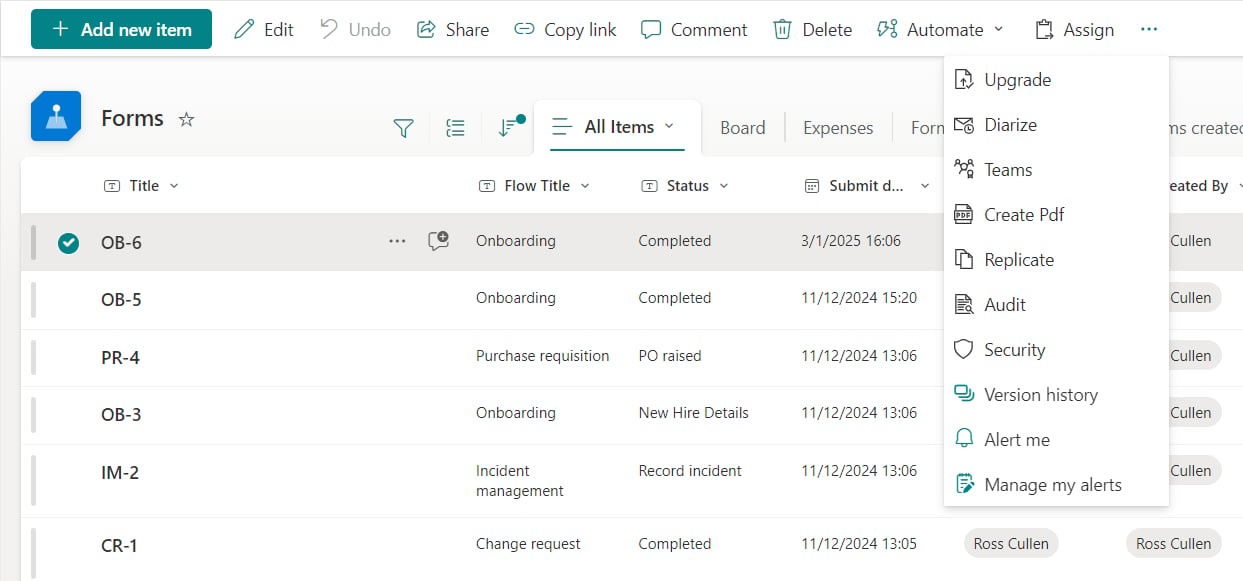
To produce an audit report, navigate to All Forms and select the ITEMS tab on the ribbon. You’ll see the Audit option in the actions group. Audit option in the ITEMS ribbon A dialogue loads, displaying the logged details. Audit log dialogue with logged details The following events are recorded by the system:
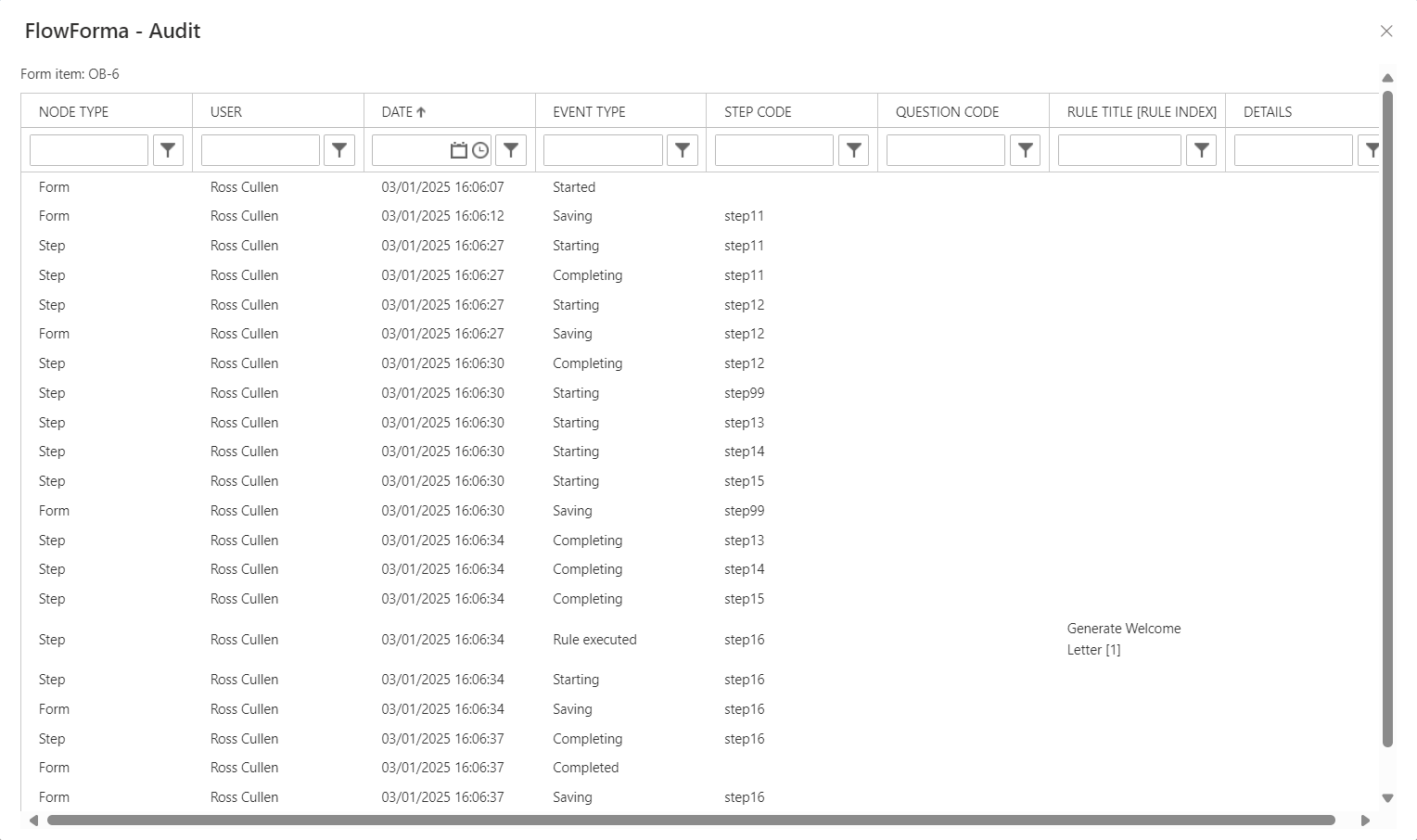
Node TypeForm, Step, Question or Subquestion
UserUsername of the logged in user who caused the event to occur
DateDate and time the event occurred
Event TypeForm started, Step Starting, Step Saving, Step Completing, Form Saving, Form Completing, Delegate, Pass back, Business Rule Execution, Voted, Signature checked
Step CodeShows the Step Code if Node Type was a step
Question CodeShows the Question Code if Node Type was a question/SubQuestion
RuleName of the rule and index number of the rule if there is more than one rule with the same name in the step.
Details (e-signature)Capture role of signatory and purpose of signing
FlowForma Event types:
Flow StartedWhen a form list item is created based on that flow
Flow CompletedWhen a form reaches a completed status
Step StartedWhen a step becomes active
Step CompletedWhen a step is successfully submitted
e-Signature RecordedWhen an e-Signature is successfully recorded
Save as Draft executed*When the assigned user presses the Save as Draft button in a step
Delegate executed* from buttonWhen the assigned user, the flow administrator or a FlowForma admin successfully delegates a step using the Delegate button
Pass Back executed* from buttonWhen the assigned user, the flow administrator or a FlowForma admin successfully passes back a step using the Pass Back button
Business rule executed*When any business rule action executes (i.e. rule conditions are true)
Voted event typeWhen the user cast their vote
Form saving eventWhen the assigned user presses the Save as Draft button in a step