

Get the current date, month or current year
In FlowForma you can get the current date, month or year using a set question value rule. This data can be then stored into a date, a number or a single line of text question depending on what you want to achieve. Here is an example on how to get the current month into a number type of question.- Add a number question. In this example we’ll call it current month
- Create a set question value rule. It can be on form loaded, step started or completed, or even on question change.
- Select the current month question as the target question
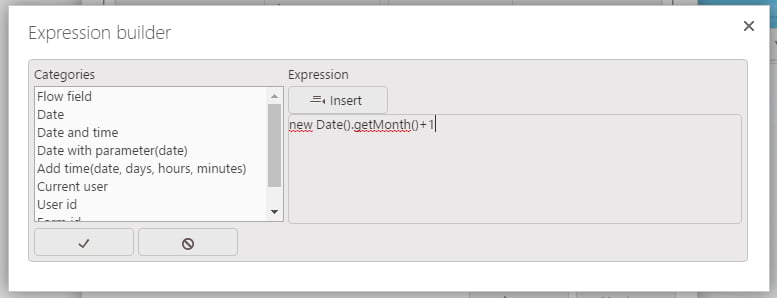
- You’ll need to build an expression to get the current date and return the month number: new Date() creates a new date with the current date as a default value (21/06/2016 for example), and .getMonth()+1 will return the month number from this date (which is 6 here). All together it gives this expression: new Date().getMonth()+1
Add days, months, or years to a date question
In FlowForma you can also add days, months, or years to a date. By default, there is a function called Add time inside the categories list of the expression builder to add days, hours, or minutes.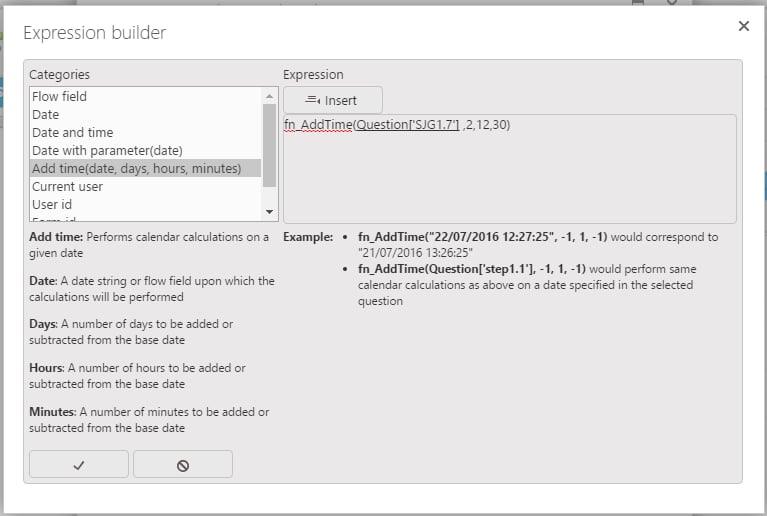
Set a specific day, month, or current year to a date question
In FlowForma you can set a fixed day, month, or year to a date question using a set question value rule. For that, you can use the following javascript methods:- setDate()
- setMonth()
- setYear()
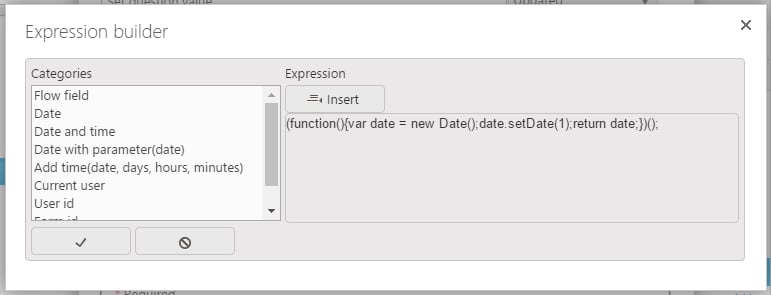
- copy and paste in the expression builder the first part of your function (function(){var date = new Date(
- Select Date with parameter(date) from categories list and insert it into your expression
- Remove date) after fn_Date(
- Select and insert your question from the flow field category
- Copy and paste the last part of your function ));date.setMonth(date.getMonth()+3);return date;})();