

Function
FlowForma.Widgets.GetExistingListPicker(container, value, options)Description
This function creates FlowForma picker, that will let you select steps and questions from a drop-down box.Uses
An example of where this would be used would be when configuring a “Get List Data” rule, you will need to select a list.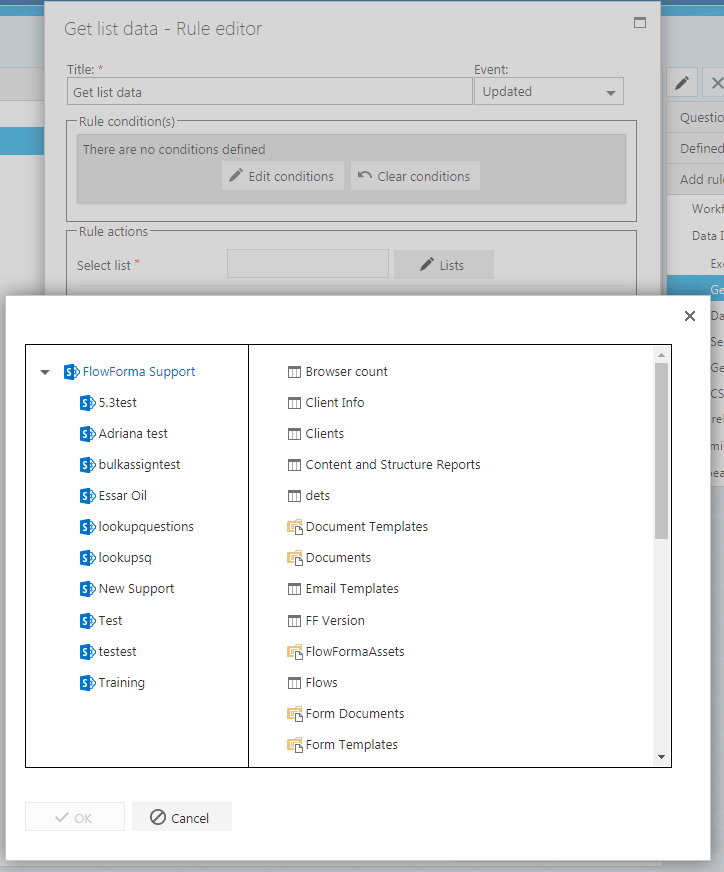
Variables
container
Format - jQuery input element. (Example: $(“#listPicker”)). Description - This element will be used to build the FlowForma list picker on to.value
Format – Stringified JSON object. Description – If the variable is defined it selects the defined list, otherwise nothing is selected.options
Format – Object. (Example:var options = { AllowCustomText: true, AllowCustomLists : true }).
Default options – AllowCustomText = false;
AllowCustomLists = false;
AllowDocLibs = false;
Description – Allows to set custom functionality to the widget.