

Step 1
- Go to portal.azure.com and sign in with your tenant administrator account.
- Under Azure Services, click Azure Active Directory
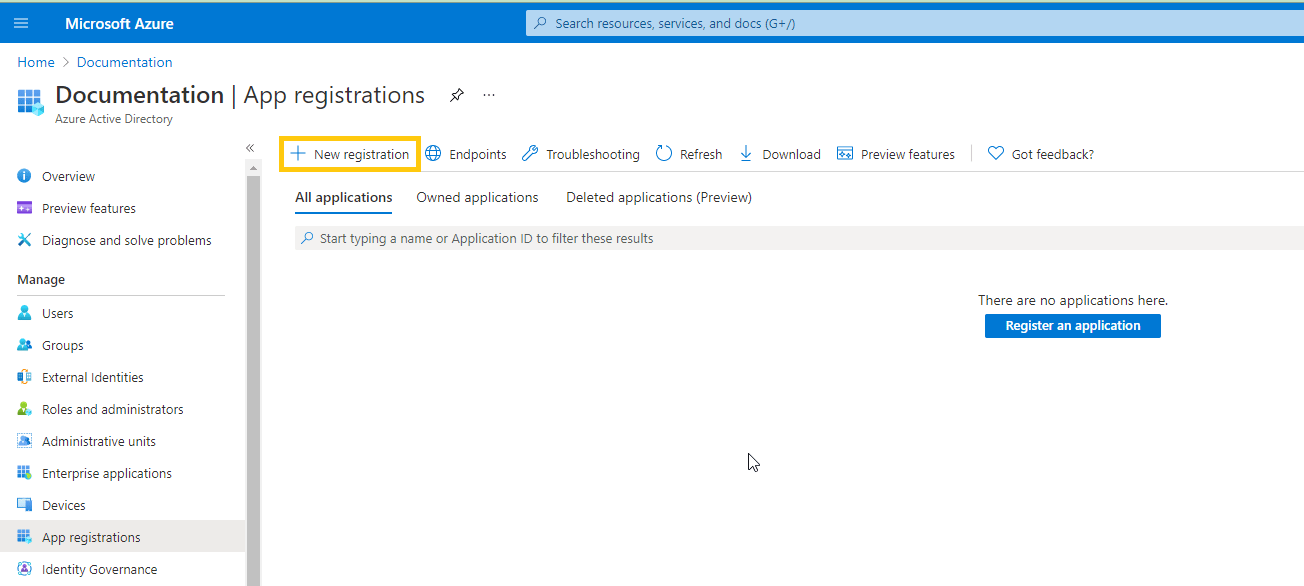
- On the left menu, click App registrations
-
On the horizontal menu, click New registration
-
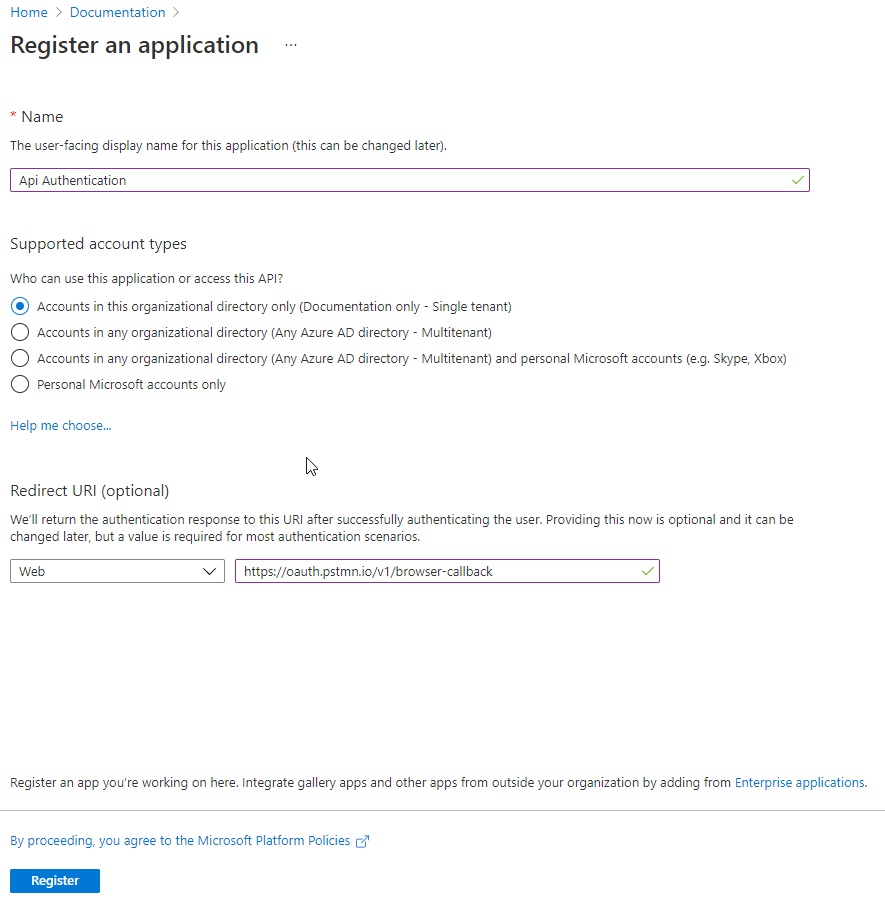
Set the Application name to
Api Authentication -
Set the Redirect URI to
https://oauth.pstmn.io/v1/browser-callback -
Click Register
- On the left menu, click API Permissions
- In the horizontal menu, click Add a permission, select Microsoft Graph, and then select Application permissions
-
Type
Sites., expand the Sites options, and check Sites.Read.All - Click Add permissions
- In the horizontal menu, click Grant admin consent for, and click Yes
- In the left menu, click Overview. From here, you can get the Application (client) ID and Directory (tenant) ID. You will need these in step 2
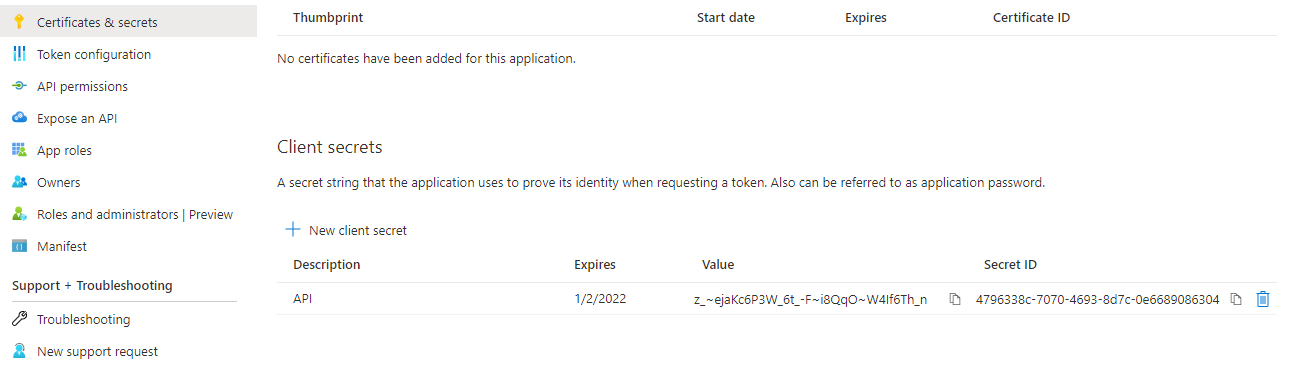
- In the left menu, click Certificates & secrets
- Click New client secret, enter a description, and click Add. Hover over the new client secret Value and copy it. You will need this in step 2
Step 2
-
To get Access token call to the https://api.flowforma.com/swagger/index.html endpoint providing Application (client) ID, Directory (tenant) ID and Client secret as query string parameters.
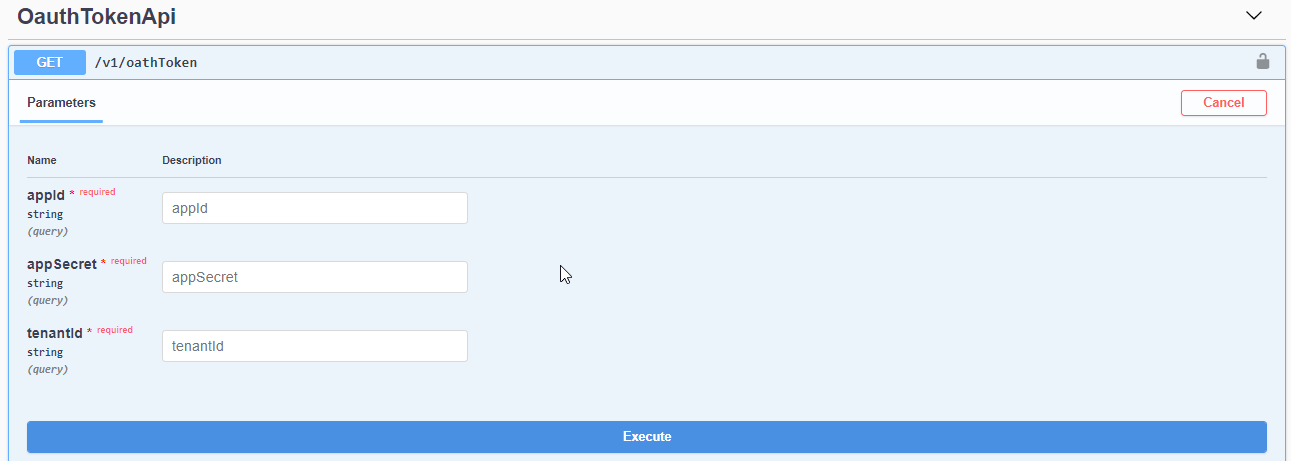
- Use Access token returned with this request to call FlowForma API services by adding it to Authorization header using the Bearer scheme.
API
Refer to the API reference for available operations and data schemas. TheListDetails schema property NewLocationPick accepts the following string values:
- ‘SC’ - Sitecollection Rootweb
- ‘AWP’ - Appweb Parent Site (Parent Page To Flowforma App)
- ‘AW’ - Appweb Site (Flowforma Page)
- ‘RT’ - Retain Current List Location Defined In Flow