> ## Documentation Index
> Fetch the complete documentation index at: https://docs.flowforma.com/llms.txt
> Use this file to discover all available pages before exploring further.
# Mobile app settings and Changing site
> View FlowForma mobile app settings such as invite code, subscription, and version, purge local data, and switch between FlowForma sites you can access.
## App settings
Click the hamburger menu at the top left of the screen to display the menu options.
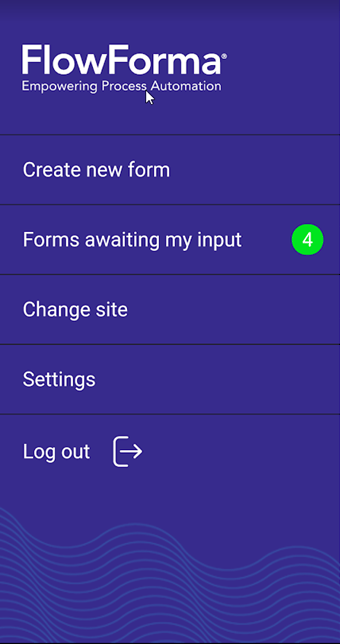 Select **Settings** to display the app settings.
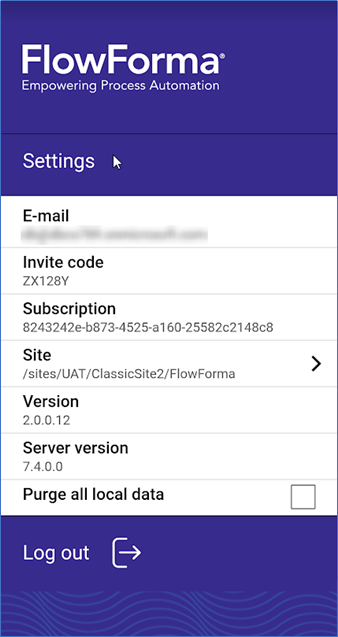 **E-mail**: the user ID of the currently signed-in user
**Invite code**: the invite code of the FlowForma site you are currently signed into
**Subscription**: the subscription ID of the FlowForma site you are currently signed into
**Site**: the URL of the FlowForma site you are currently signed into
**Version**: the version of the FlowForma mobile app that is installed
**Server version**: the version of the FlowForma app that is being used
**Purge all local data**: check this to purge any local FlowForma data, downloaded processes, and forms.
## Changing sites
If you signed in using Office 365 and have access to a number of different sites, you can switch between sites without closing the app.
From the menu, select **Change site**.
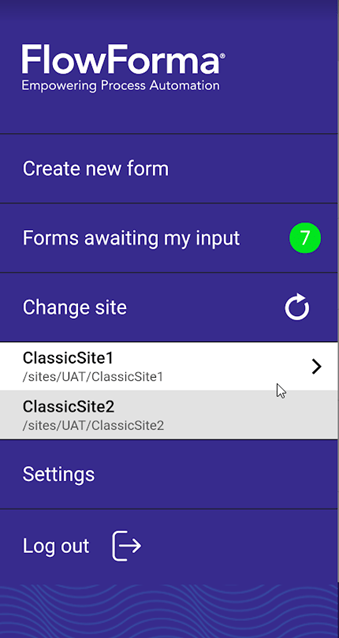 A list of the **FlowForma** sites you have access to is now displayed. Select the site you want to use.
You can now see your forms awaiting input, process templates, and the settings for this site, and can create forms on this site.