> ## Documentation Index
> Fetch the complete documentation index at: https://docs.flowforma.com/llms.txt
> Use this file to discover all available pages before exploring further.
# Using Drill Down Levels
> Drill into underlying detail on FlowForma Analytics charts by clicking segments or table rows, then use the chevron icons to step back up through the levels.
A drill down level on a chart means there is at least one chart or data table sitting beneath the current chart that allows you to view additional detail. For example, if you click on a region in a bar chart, this may drill down into another chart or table that shows the number of stores in that region, or the number of sales.
When a chart or a table has a drill path defined, you will see a downward facing arrow at the top-left of the chart cell and the hand icon when you hover the mouse over a chart. You will then be able to click on a segment in a chart, or double-click on a table row, to drill down into the underlying detail.
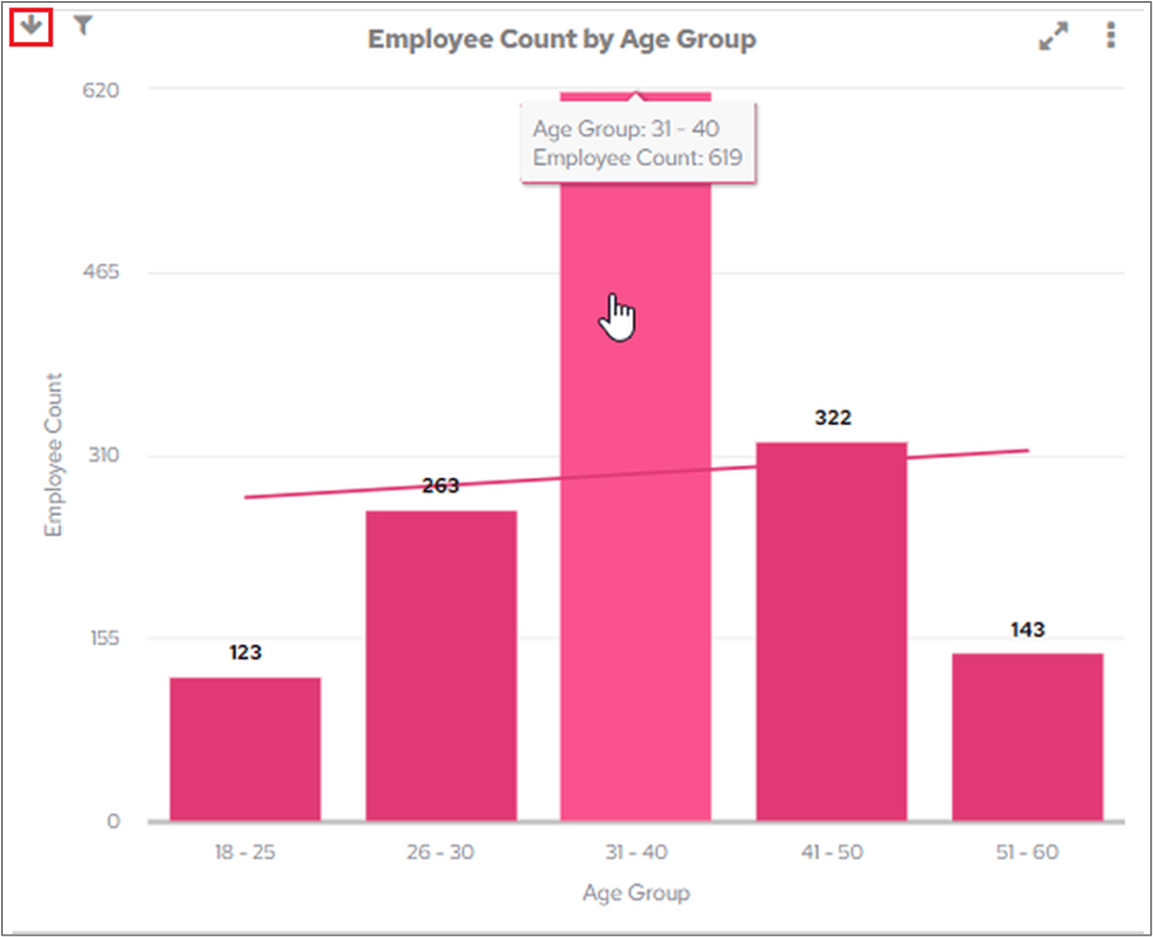 The following screenshot shows how drill levels work. The main chart in the cell is the one called 'Employee Count by Age Group'.
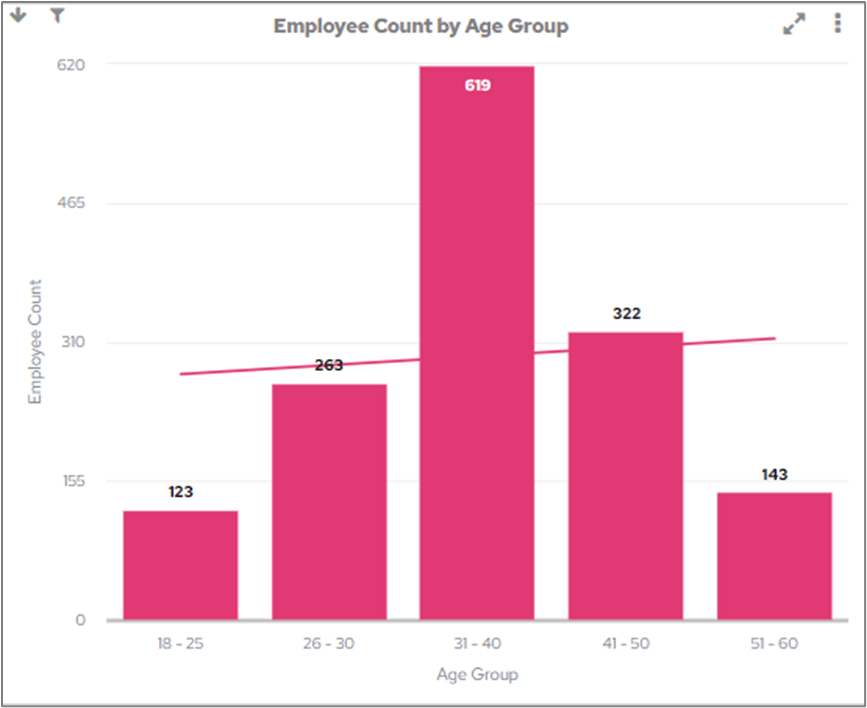 If you click on a bar in this chart, you will be able to drill down to the next chart.
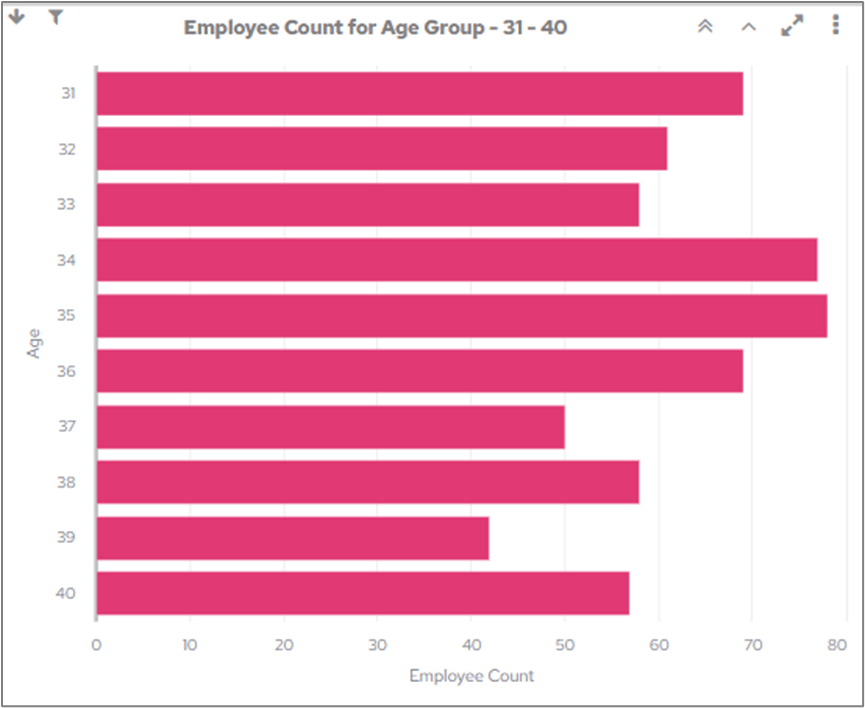 Clicking on a bar in this chart will then drill down to a table that shows the job roles and departments of the relevant members of staff.
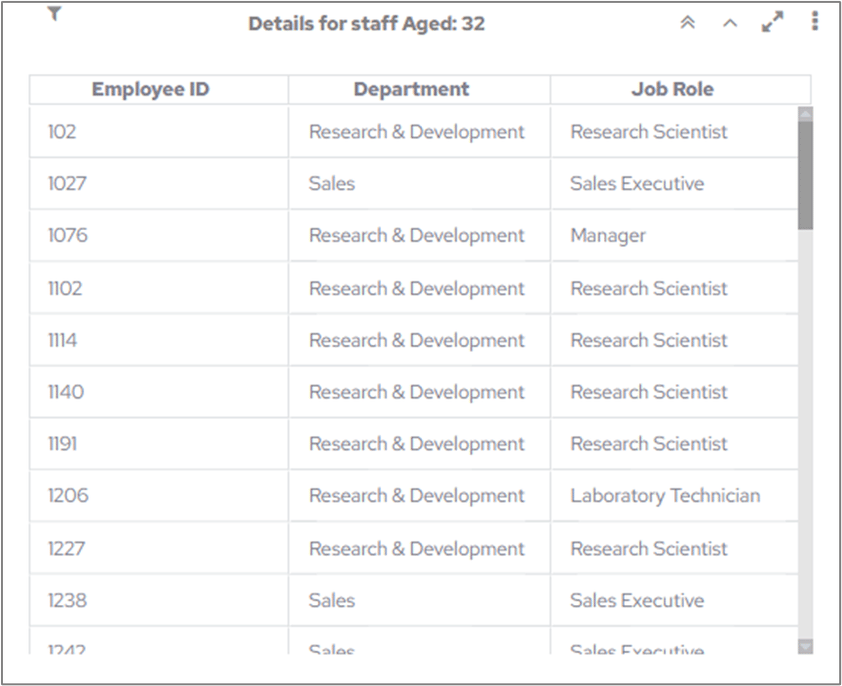 Each drill down level will also display the filter icon to show that the chart has been filtered.
 When you drill down from a table that has previously been sorted prior to drilling down the sort order will be retained when you drill back up to the previous level.
When you scroll in a table prior to drilling down to a lower level the scroll position will be retained when you drill back to the previous level.
## Returning to the top level
When you have drilled down into underlying data on a chart, you can use the two chevron icons at the top-right of the chart cell to go back up through the levels.
Once you have drilled down, you will see the following icons:
When you drill down from a table that has previously been sorted prior to drilling down the sort order will be retained when you drill back up to the previous level.
When you scroll in a table prior to drilling down to a lower level the scroll position will be retained when you drill back to the previous level.
## Returning to the top level
When you have drilled down into underlying data on a chart, you can use the two chevron icons at the top-right of the chart cell to go back up through the levels.
Once you have drilled down, you will see the following icons:
 | Icon | Description |
| ---------------------------------------------------------------------------------------------------------------------------------------------------------------------------------------------------------------------------------------------------------------------------------------------------------------------------------------------------------------------------------------------------------------------------------------------------------------------------------------------------------------------------------------------------------------------------------------------------------------------------------------------------------------------------------------------------------------------------------------------------------------------------------------------------------------------------------------------------------------------------------------------------------------------------------------------------------------------------------------------------------------------------------------------------------------------------------------------------------------------------------------------------------------------------------------------------------------------------------------------------------------------------------------------------------------------------------------------------------------------------------------------------------------------------------------------------------------------------------------------------------------------------------------------------------------------------------------------------------------------------------------------------------------------------------------------------------------------------------------------------------------------------------------------------------------------------------------------------------------------------------------------------------------------------------------------------------------------------------------------------------------------------------------------------------------------------------------------------------------------------------------------------------------------------------------------------- | -------------------------------------------------------------------------- |
|
| Icon | Description |
| ---------------------------------------------------------------------------------------------------------------------------------------------------------------------------------------------------------------------------------------------------------------------------------------------------------------------------------------------------------------------------------------------------------------------------------------------------------------------------------------------------------------------------------------------------------------------------------------------------------------------------------------------------------------------------------------------------------------------------------------------------------------------------------------------------------------------------------------------------------------------------------------------------------------------------------------------------------------------------------------------------------------------------------------------------------------------------------------------------------------------------------------------------------------------------------------------------------------------------------------------------------------------------------------------------------------------------------------------------------------------------------------------------------------------------------------------------------------------------------------------------------------------------------------------------------------------------------------------------------------------------------------------------------------------------------------------------------------------------------------------------------------------------------------------------------------------------------------------------------------------------------------------------------------------------------------------------------------------------------------------------------------------------------------------------------------------------------------------------------------------------------------------------------------------------------------------------- | -------------------------------------------------------------------------- |
|  | Click the double chevron icon to return to the highest level (main chart). |
|
| Click the double chevron icon to return to the highest level (main chart). |
|  | Click the single chevron icon to go back one level at a time. |