> ## Documentation Index
> Fetch the complete documentation index at: https://docs.flowforma.com/llms.txt
> Use this file to discover all available pages before exploring further.
# Disabling a User
> Disable a FlowForma Analytics user by clearing the Enabled box to keep their account intact while freeing up a licence for another person.
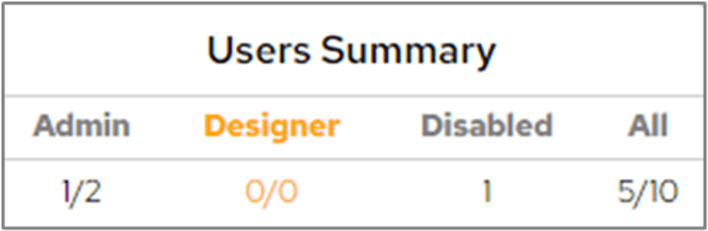
Your Dashboard licence allows you to have a certain number of users. You can check these figures by looking at **Dashboard Configuration > Users**.
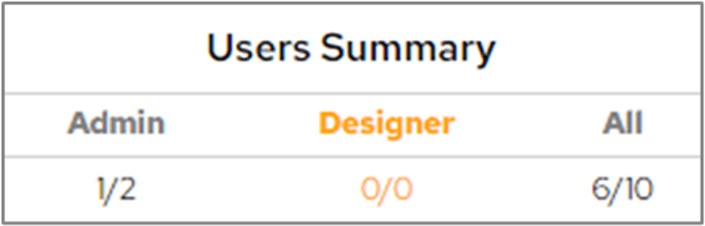
The **User Summary** section at the bottom-left of the User screen will show how many users you can have and how many you've already used.
 If you're getting close to the number of users allowed and you need to add new users, you could disable any user accounts that are not currently being used. These accounts might belong to users on long-term sick leave or maternity leave, for example, so you might prefer not to delete the account in case the user returns to work.
By removing the tick from the **Enabled** box for a particular user, you leave their account intact in the system, but they're prevented from logging in.
If you're getting close to the number of users allowed and you need to add new users, you could disable any user accounts that are not currently being used. These accounts might belong to users on long-term sick leave or maternity leave, for example, so you might prefer not to delete the account in case the user returns to work.
By removing the tick from the **Enabled** box for a particular user, you leave their account intact in the system, but they're prevented from logging in.
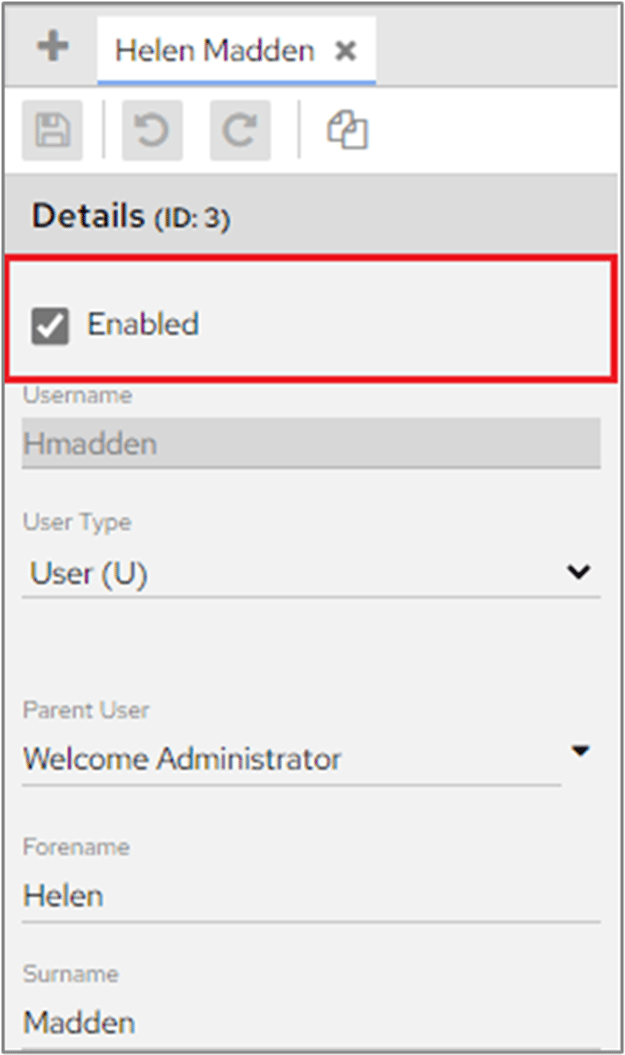 This removes the user from the **User Summary** and effectively frees up an account that you can use for another person. When the **Enabled** box is cleared, you can see a count of how many users are disabled in **User Summary**.