> ## Documentation Index
> Fetch the complete documentation index at: https://docs.flowforma.com/llms.txt
> Use this file to discover all available pages before exploring further.
# Document generator plugin
> Install the FlowForma Microsoft Word document generator plugin, with prerequisites and step-by-step first-time installation methods.
Check out the modern Document Generation plugin: [FlowForma Doc Gen plugin installation](/product/flowforma-doc-gen/flowforma-doc-gen-plugin-installation).
Follow the steps below to install the Microsoft Word document generator plugin.
## Prerequisites
To install the Word document generator plugin, you need the following:
* Microsoft Office 2010 or above
* .NET Framework 4.5
## First time installation
Before installing, check that:
* No Microsoft Office applications are running (close any open instances).
* [The FlowForma site](/product/the-flowforma-site/overview) URL is listed in the browser's trusted sites zone.
* The browser's cache has been cleared.
On the FlowForma site, navigate to the document templates library and click **FlowForma Plugin** from the toolbar.
 When you expand this section, two options are displayed:
 ### Installation method 1: FlowForma plugin
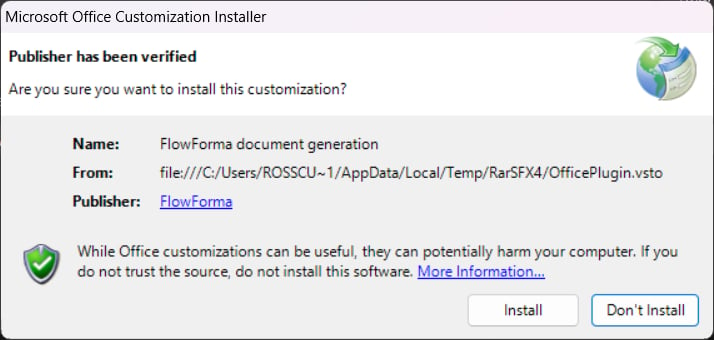
Select **FlowForma Plugin** from the drop-down menu to start the installation process. The screen below appears. Click **Install**.
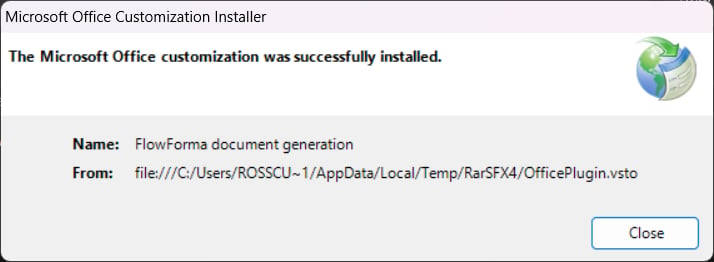
When the plugin is installed, you'll get a confirmation message.
### Installation method 2: download plugin as a zip file
Select **download plugin as zip file** from the drop-down menu and unzip (extract) all files.
Select the **WordPlugin.exe** file and click **Install**.
### Installation method 1: FlowForma plugin
Select **FlowForma Plugin** from the drop-down menu to start the installation process. The screen below appears. Click **Install**.
When the plugin is installed, you'll get a confirmation message.
### Installation method 2: download plugin as a zip file
Select **download plugin as zip file** from the drop-down menu and unzip (extract) all files.
Select the **WordPlugin.exe** file and click **Install**.
 Once the installation is complete, you will see the following: