> ## Documentation Index
> Fetch the complete documentation index at: https://docs.flowforma.com/llms.txt
> Use this file to discover all available pages before exploring further.
# Form Preview
> Use Form Preview to see a live preview of your form inside the Flow Designer that updates automatically as you add steps, questions, themes, and button labels.
The Form Preview feature lets you see a live preview of your form directly within the Flow Designer. As you build your flow, adding steps, questions, updating the layout, changing themes or button labels, the preview updates automatically to reflect your changes.
Combined with the Test Form feature, this gives you a clear view of how your form looks and behaves as you design it.
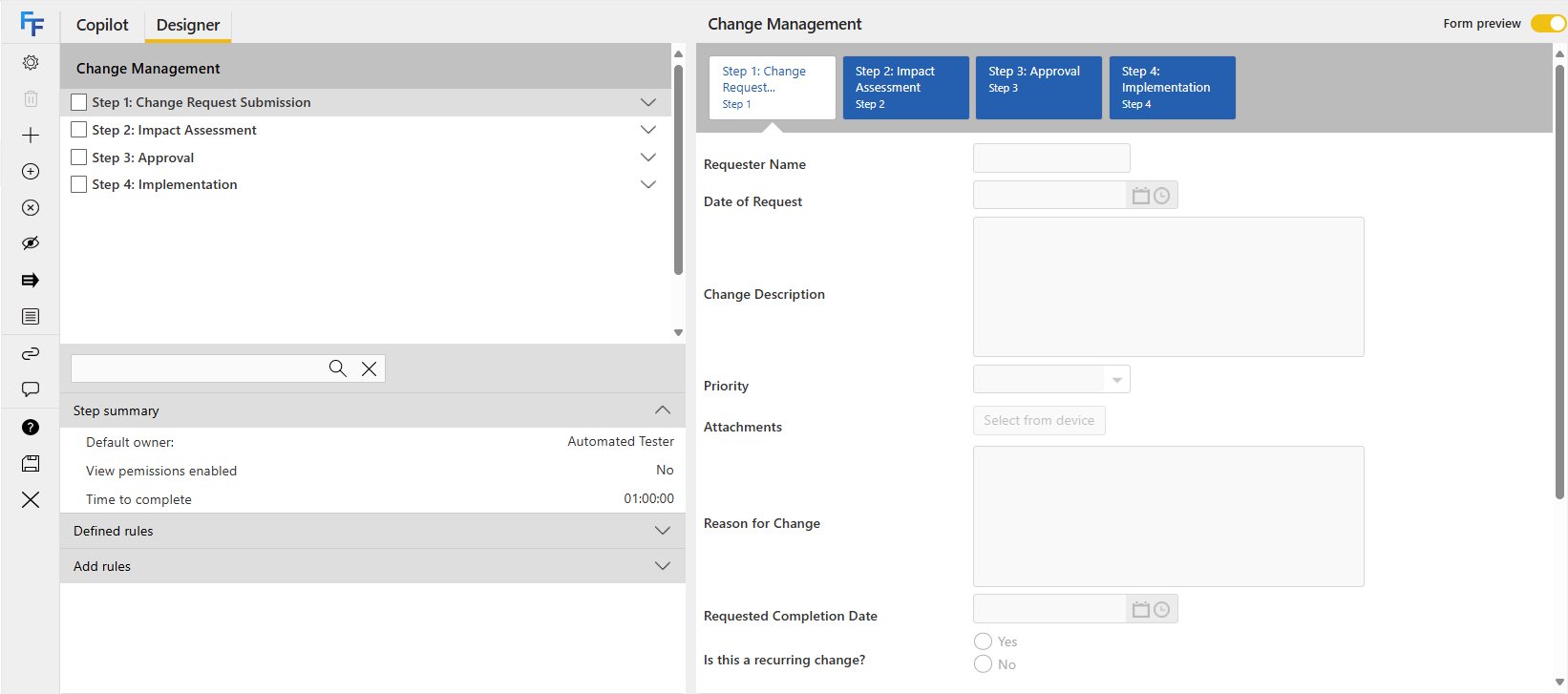 You can toggle the Form Preview on and off using the switch on the top right.
 The Form Preview displays the currently selected step. Click on another step to preview that step instead.