> ## Documentation Index
> Fetch the complete documentation index at: https://docs.flowforma.com/llms.txt
> Use this file to discover all available pages before exploring further.

# FlowForma Office 365 app installation

> Install the FlowForma Office 365 app from the SharePoint Store on a dedicated site collection, then open the app and activate your license.

When you register with Office365, you get a default SharePoint site. The default sites settings are configured by Microsoft - and some of these settings may cause issues when trying to install FlowForma.

Before you install the FlowForma Office365 App, we recommend that you **create a new site collection and install the FlowForma app on this**. That way you won't have to review and possibly change any of the settings on the default site.

Before starting the install, you need to ensure that you are a **site collection administrator** on the site collection where you want to install the app.

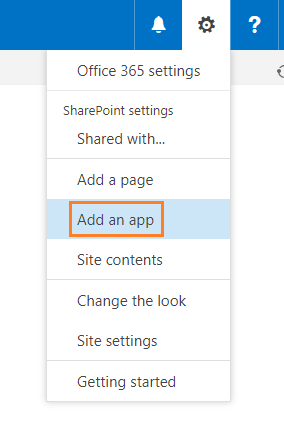
To add the FlowForma app on your site, go to your site and on the top right corner, click on the **settings** cog, and choose **add an app** from the menu.
<img src="https://mintcdn.com/flowforma/g56Im1vOp6-ECYen/images/installation/flowforma-office-365-app-installation/flowforma-office-365-app-installation-1.png?fit=max&auto=format&n=g56Im1vOp6-ECYen&q=85&s=57dd0aad2fe1039453e10d27b5773b87" alt="Settings cog and add an app menu" width="284" height="427" data-path="images/installation/flowforma-office-365-app-installation/flowforma-office-365-app-installation-1.png" />

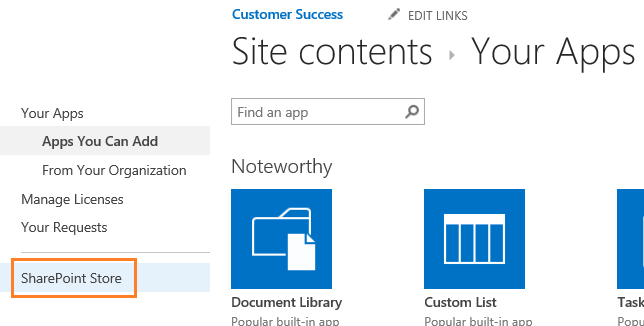
From here, go to the **SharePoint Store.**
<img src="https://mintcdn.com/flowforma/g56Im1vOp6-ECYen/images/installation/flowforma-office-365-app-installation/flowforma-office-365-app-installation-2.png?fit=max&auto=format&n=g56Im1vOp6-ECYen&q=85&s=556eb885c083069dda145234a7e353ba" alt="SharePoint Store option" width="644" height="326" data-path="images/installation/flowforma-office-365-app-installation/flowforma-office-365-app-installation-2.png" />

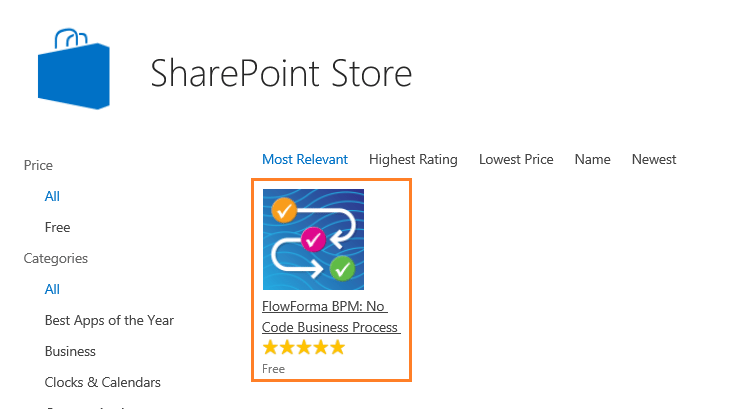
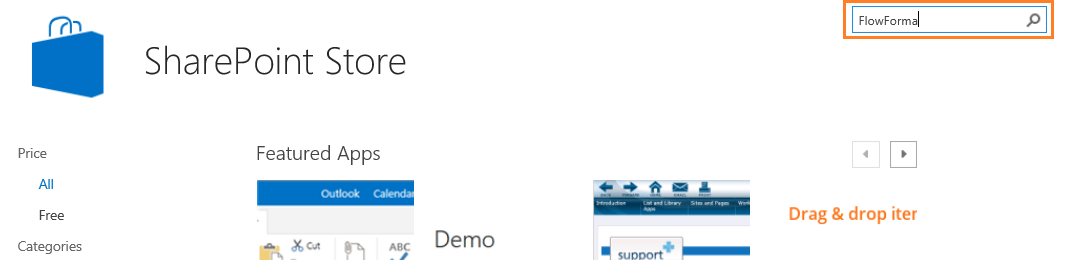
Type **FlowForma** into the search box at the top right of the screen and click enter.
<img src="https://mintcdn.com/flowforma/g56Im1vOp6-ECYen/images/installation/flowforma-office-365-app-installation/flowforma-office-365-app-installation-3.png?fit=max&auto=format&n=g56Im1vOp6-ECYen&q=85&s=c7080649a7ebb8e80d5edc99c1ad13eb" alt="FlowForma search results" width="1067" height="260" data-path="images/installation/flowforma-office-365-app-installation/flowforma-office-365-app-installation-3.png" />

Click the **FlowForma** icon.

<img src="https://mintcdn.com/flowforma/g56Im1vOp6-ECYen/images/installation/flowforma-office-365-app-installation/flowforma-office-365-app-installation-4.png?fit=max&auto=format&n=g56Im1vOp6-ECYen&q=85&s=f49aff43654187d6267bbe5afe204baa" alt="FlowForma app icon" width="740" height="409" data-path="images/installation/flowforma-office-365-app-installation/flowforma-office-365-app-installation-4.png" />

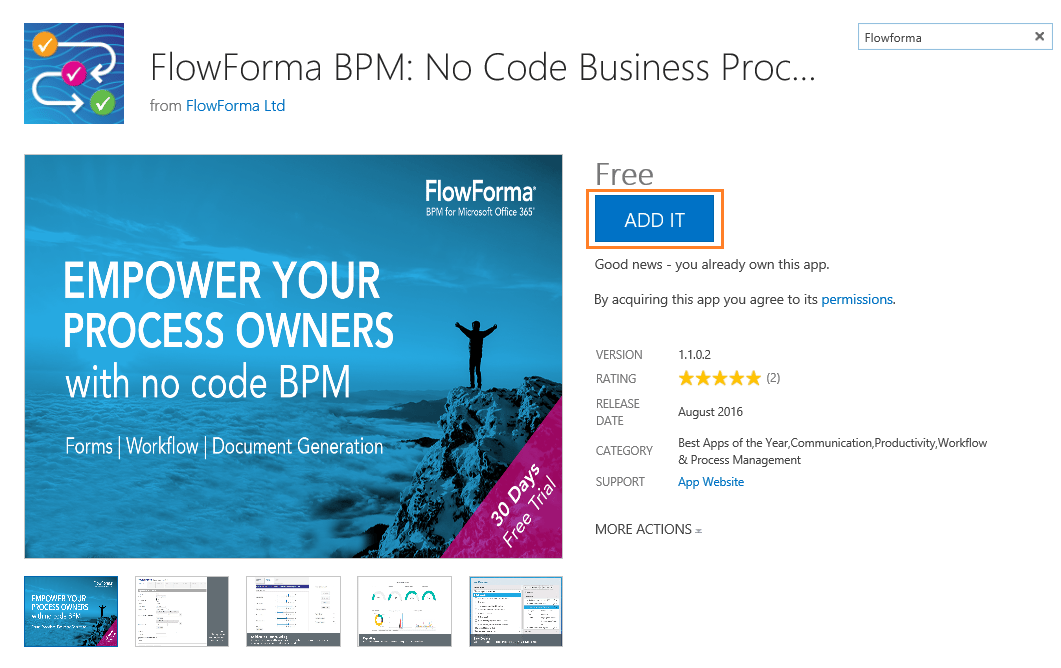
Then click **add it**.

<img src="https://mintcdn.com/flowforma/g56Im1vOp6-ECYen/images/installation/flowforma-office-365-app-installation/flowforma-office-365-app-installation-5.png?fit=max&auto=format&n=g56Im1vOp6-ECYen&q=85&s=f8ec0c754378472dc3efd062bb5c06f2" alt="Add it button" width="1061" height="668" data-path="images/installation/flowforma-office-365-app-installation/flowforma-office-365-app-installation-5.png" />

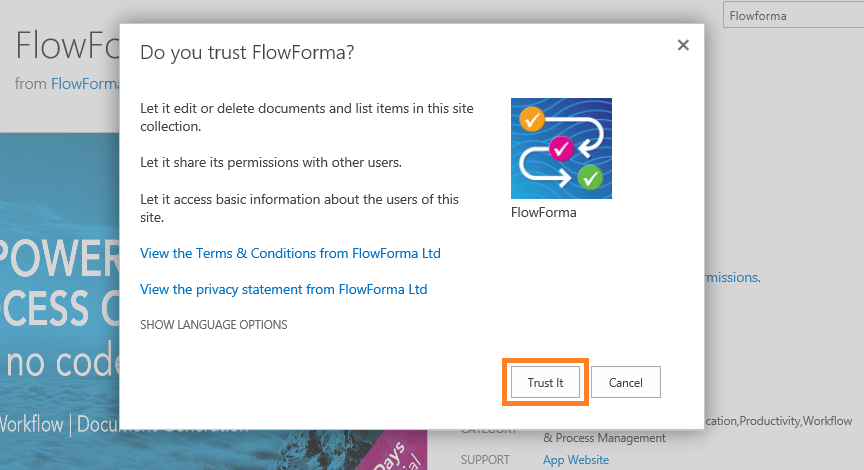
Click **trust it** to start the install.
<img src="https://mintcdn.com/flowforma/g56Im1vOp6-ECYen/images/installation/flowforma-office-365-app-installation/flowforma-office-365-app-installation-6.png?fit=max&auto=format&n=g56Im1vOp6-ECYen&q=85&s=9961ee53ac7f5f39c21191cbd51926be" alt="Trust it dialog" width="864" height="470" data-path="images/installation/flowforma-office-365-app-installation/flowforma-office-365-app-installation-6.png" />

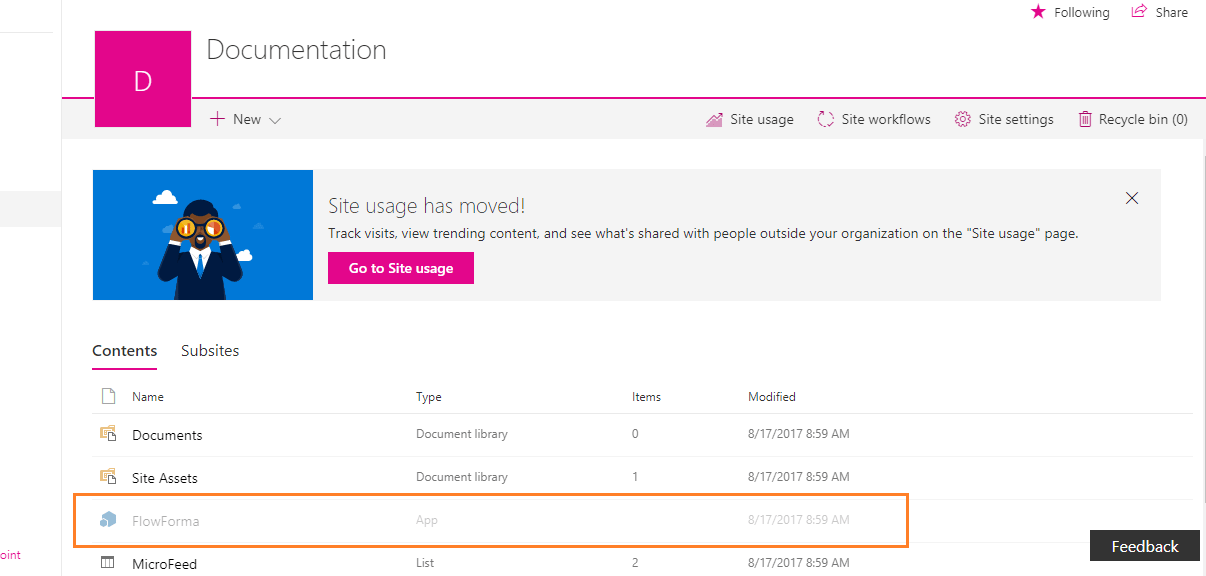
You will now be redirected back to the site. It can take up to 10 minutes to install the app.
<img src="https://mintcdn.com/flowforma/g56Im1vOp6-ECYen/images/installation/flowforma-office-365-app-installation/flowforma-office-365-app-installation-7.png?fit=max&auto=format&n=g56Im1vOp6-ECYen&q=85&s=081a90f90bae37055847531f7c45d061" alt="App installing on site" width="1206" height="576" data-path="images/installation/flowforma-office-365-app-installation/flowforma-office-365-app-installation-7.png" />

Once the installation is complete, you can open the **FlowForma** app and start the activation of your license.