> ## Documentation Index
> Fetch the complete documentation index at: https://docs.flowforma.com/llms.txt
> Use this file to discover all available pages before exploring further.
# Create a list from an existing template
> Import a SharePoint .stp list template into the template gallery, then create a new list from it to transfer a list between sites, optionally including its content.
If you need to transfer a SharePoint list from one site to another, you will need to use list templates. List templates are stp files that contain all the information of your list and can be imported into any SharePoint site. This documentation will help you to know how to create a new list from an existing template.
First of all, you need to make sure the list template that you want to use is imported in the list template gallery. If that's not the case, you won't be able to create your list using the template.
## Import a template into list template gallery
* From the top site, go to **site settings** and click **list templates** under web designer galleries.
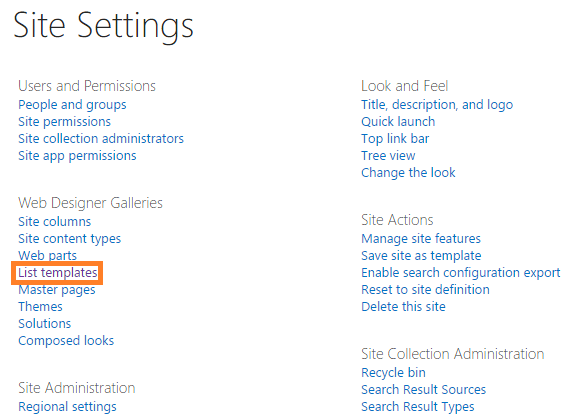 Note: You need to be on the top site to go to the list templates gallery. If you don't see the list templates link under web designer galleries, click **go to top level site settings** under site collection administration.
* Click **upload document** under the files tab in the top ribbon.
Note: You need to be on the top site to go to the list templates gallery. If you don't see the list templates link under web designer galleries, click **go to top level site settings** under site collection administration.
* Click **upload document** under the files tab in the top ribbon.
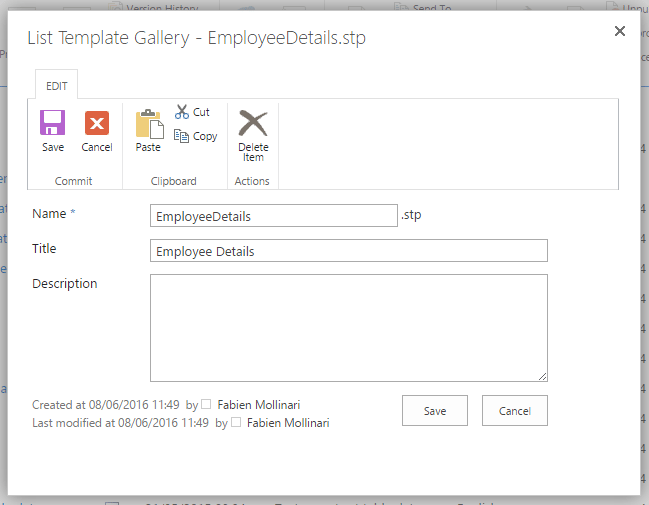
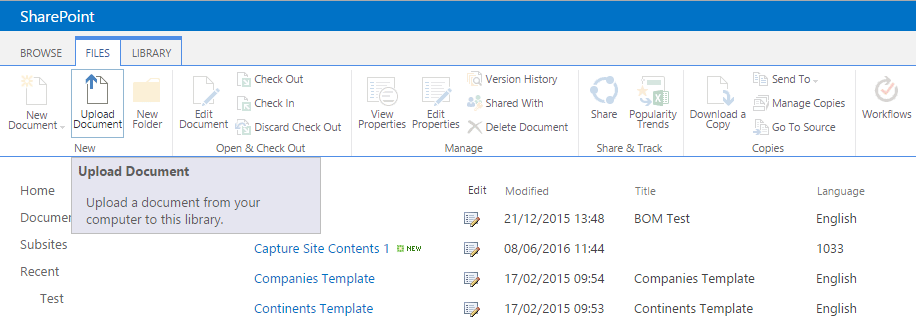 * Select the template that you want to import (it should have the extension .stp). Add or edit **name** and **description**. Then click **save** to complete the import.
 ## Create a list using a list template
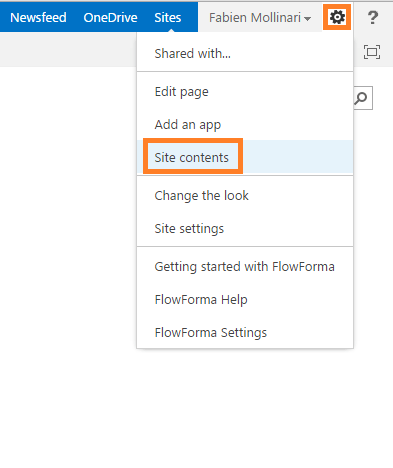
* Go to the homepage of the site or subsite where you want to add the list and select **site contents** from the left navigation, or alternatively select it from the **site actions** menu.
## Create a list using a list template
* Go to the homepage of the site or subsite where you want to add the list and select **site contents** from the left navigation, or alternatively select it from the **site actions** menu.
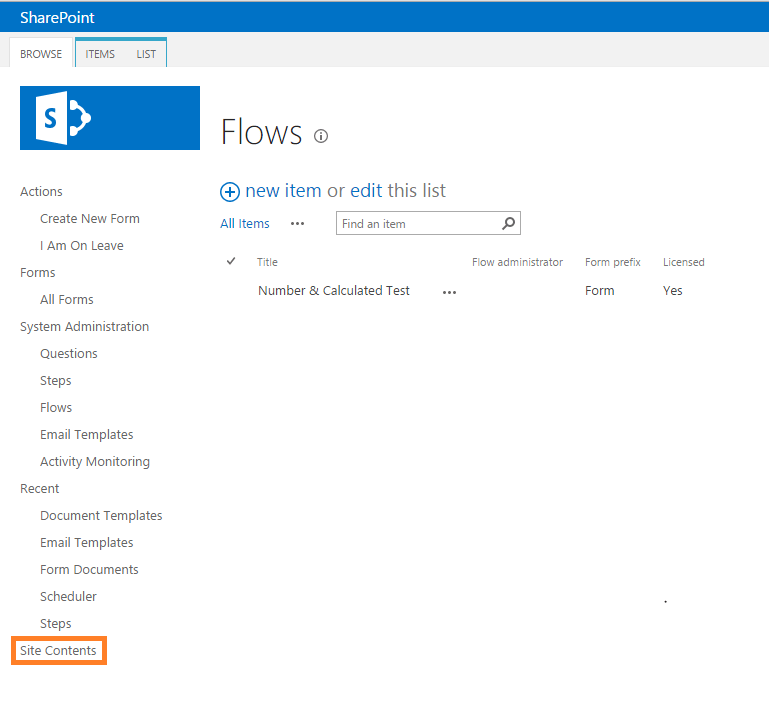
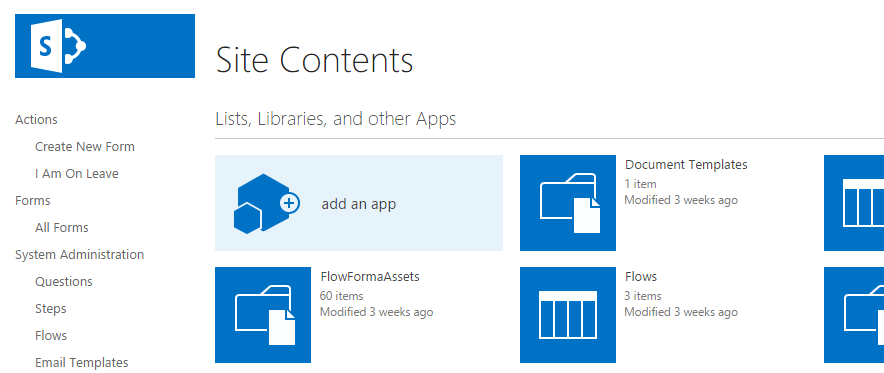
 * In **site contents**, click **add an app**.
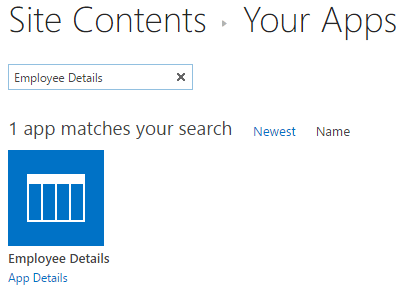
 * Select the list template that you want to use. You can use the search bar.
 Note: the name of the list corresponds to the template name that was entered when the list was saved as a template.
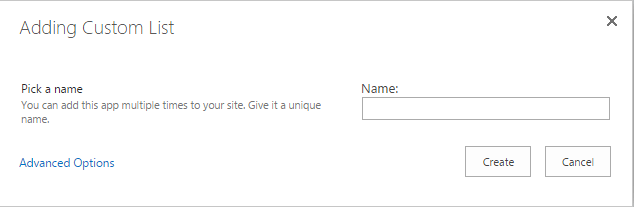
* Add a name to your list and click **create**.
Note: the name of the list corresponds to the template name that was entered when the list was saved as a template.
* Add a name to your list and click **create**.
 Note: The name can be different from the list template name.
* Once the list is created, you can find it in your site contents and edit it as a normal list.
Note: The name can be different from the list template name.
* Once the list is created, you can find it in your site contents and edit it as a normal list.
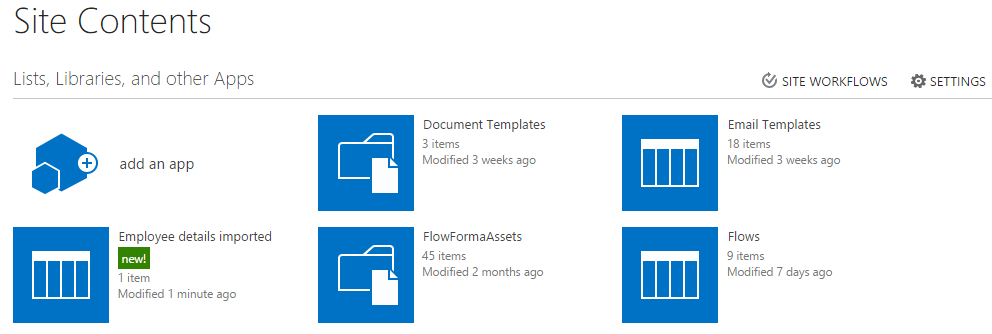 Note: If you have selected the option **include content** when the list was saved as a template, the data from the list will be copied and available in the new list.